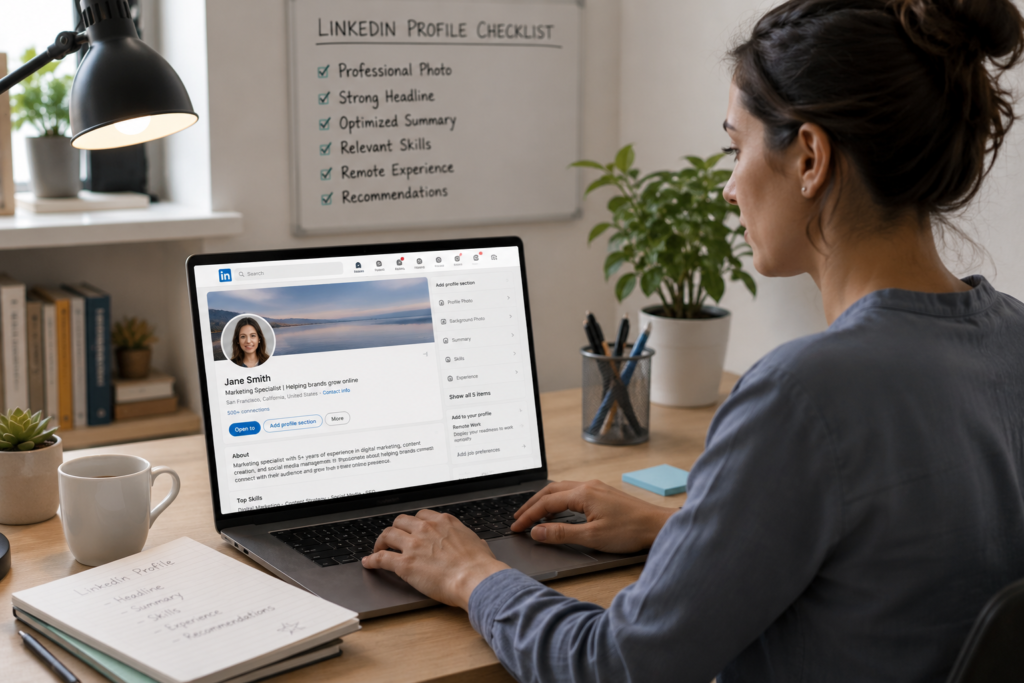
Your LinkedIn profile is working right now, even while you sleep. Recruiters are searching, filtering, and scanning profiles at all hours, looking for candidates who fit open remote roles. The question is whether your profile is showing up in those searches, and whether it’s saying the right things when it does.
Most people treat LinkedIn like a digital resume. They list their job titles, add a few bullet points, and call it done. That approach might work for local, in-office roles where a recruiter already knows your market. But remote hiring is different. The talent pool is global, the competition is steep, and recruiters rely heavily on LinkedIn’s search algorithms to surface the right candidates.
If your profile isn’t optimized for remote work, you’re invisible to the people who could change your career.
This guide walks through every section of your LinkedIn profile and shows you exactly how to position yourself as a strong, hirable remote candidate.
Why LinkedIn Matters More for Remote Job Seekers
When a company hires for an in-office role, they often pull from local networks, job boards, and referrals. The search radius is limited by geography.
Remote hiring flips that model. A company based in Austin might hire a designer in Berlin, a developer in Manila, and a project manager in Toronto, all for the same team. The recruiter running that search isn’t browsing local meetups. They’re on LinkedIn, using Boolean search strings and filters to find people with the right skills, experience, and signals that they can work independently across time zones.
LinkedIn is the primary sourcing tool for remote recruiters. According to LinkedIn’s own data, over 87% of recruiters use the platform regularly to find candidates. For remote roles, that number skews even higher because there’s no physical location to anchor the search.
That means your LinkedIn profile is your storefront. It needs to do three things:
- Show up in search results when recruiters look for remote candidates with your skill set
- Hold attention long enough for the recruiter to read past your headline
- Build confidence that you can deliver results without someone sitting next to you
Let’s break down how to make each section of your profile do that work.
Your Headline: The First 220 Characters That Matter Most
Your headline is the single most visible piece of text on your profile. It appears in search results, connection requests, comments, and messages. Most people waste it on a job title: “Marketing Manager at XYZ Corp.”
That tells a recruiter what you do, but nothing about how you do it or where you do it. For remote job seekers, the headline needs to do more.
What remote recruiters search for in headlines:
- Specific skills and specializations (not generic titles)
- The word “remote” or related terms
- Industry or niche context
- A signal of what you deliver, not just what you are
Strong headline examples:
- “Content Strategist | B2B SaaS | Remote-First | Turning Complex Products Into Clear, Conversion-Driven Copy”
- “Full-Stack Developer (React, Node.js, AWS) | Building Scalable Products for Distributed Teams”
- “Operations Manager | Process Design for Remote & Hybrid Teams | 8 Years in Distributed Environments”
- “Senior UX Researcher | Remote | Helping Product Teams Make Data-Backed Design Decisions”
What makes these work:
Each headline includes a clear role, a specialization, a mention of remote work, and a hint at the value the person brings. They’re specific enough to show up in targeted searches and compelling enough to earn a click.
What to avoid:
- “Open to Work” as your entire headline (it tells recruiters nothing about what you do)
- Buzzwords without context (“Passionate Leader | Innovator | Thought Leader”)
- Vague descriptions (“Helping companies grow”)
- Leaving the default company-generated headline untouched
Your headline has roughly 220 characters. Use all of them. Every word is searchable, so pack it with the terms a remote recruiter would type into LinkedIn’s search bar.
Your Profile Photo and Banner Image
This might seem like a minor detail, but recruiters form first impressions in less than two seconds. A profile without a photo gets significantly fewer views. A profile with a blurry, cropped, or overly casual photo creates doubt before the recruiter reads a single word.
Photo guidelines:
- Use a high-resolution headshot with good lighting
- Dress the way you’d dress for a video call in your industry (business casual works for most remote roles)
- Choose a simple, non-distracting background
- Make sure your face takes up about 60% of the frame
- Smile naturally; you’re going for approachable and professional
Banner image:
The banner is often overlooked, but it’s prime real estate. Instead of leaving LinkedIn’s default blue gradient, use a custom banner that reinforces your professional brand.
Options that work well:
- A clean graphic with your specialty and a tagline (“Remote-Ready Data Analyst | SQL, Python, Tableau”)
- A photo of your professional workspace (clean desk, second monitor, good setup)
- A subtle branded image related to your industry
- A simple design featuring tools, frameworks, or platforms you specialize in
Free tools like Canva have LinkedIn banner templates that take about 10 minutes to customize. It’s a small effort with outsized impact.
Your About Section: The Pitch That Closes the Deal
The About section (formerly the Summary) is where most profiles fall flat. People either leave it blank, copy their resume summary, or write something so generic it could belong to anyone in their industry.
For remote job seekers, the About section is your pitch. It needs to answer three questions in the recruiter’s mind:
- What do you do, and what are you great at?
- Can you work effectively without an office?
- What results have you delivered?
A framework that works:
Paragraph 1: What you do and who you help.
Start with a clear statement of your role, your specialization, and the type of companies or teams you work best with. Be specific. “I help B2B SaaS companies build content engines that drive organic traffic” is far stronger than “I’m a marketing professional with experience in content.”
Paragraph 2: Your remote work credentials.
This is where you separate yourself from candidates who haven’t thought about remote work intentionally. Talk about your experience working in distributed teams. Mention the tools you use (Slack, Notion, Asana, Linear, Figma, Loom). Reference how you handle time zone differences, async communication, and self-management. If you’ve worked remotely for several years, say so. If you’re transitioning to remote, explain the preparation you’ve done and the skills that transfer.
Paragraph 3: Results and proof.
Numbers speak louder than adjectives. Instead of saying you’re a “results-driven professional,” show the results. “Grew organic traffic from 12K to 85K monthly sessions in 14 months.” “Managed a $2.4M project portfolio across four time zones.” “Reduced customer onboarding time by 40% through process documentation and automation.”
Paragraph 4: What you’re looking for (optional but effective).
If you’re actively searching, a short closing line helps recruiters understand your intent. “Currently open to full-time remote roles in product marketing at growth-stage SaaS companies.” That sentence alone saves a recruiter five minutes of guessing.
A complete About section example:
I build and scale content programs for B2B SaaS companies. Over the past six years, I’ve worked with product-led growth teams to create content strategies that drive organic acquisition, support sales enablement, and reduce churn through better onboarding materials.
I’ve worked remotely since 2020, collaborating with teams across North America, Europe, and Southeast Asia. My default tools include Notion for project management, Slack and Loom for communication, and Google Analytics and Ahrefs for performance tracking. I’m comfortable with async-first workflows and typically overlap with US and EU time zones.
Some numbers from recent work: grew a SaaS blog from 8K to 120K monthly organic sessions in 18 months. Built a content library of 200+ resources that contributed to a 28% increase in trial-to-paid conversion. Managed a team of four writers and two designers, all fully remote.
I’m currently exploring full-time remote content strategy and content marketing leadership roles at product-led SaaS companies.
That’s specific, credible, and easy to scan. A recruiter reading this knows exactly what the person does, that they’ve worked remotely with real results, and what kind of role they’re after.
Your Experience Section: Showing Remote Work in Action
Your experience section is where you prove that your About section isn’t just talk. Each role should demonstrate what you accomplished and, where relevant, how you did it in a remote or distributed context.
How to structure each role:
- Job title: Use the title you actually held. If it was a remote role, you can add “(Remote)” after the company name.
- Company description: One line explaining what the company does. This helps recruiters who don’t recognize the brand.
- Bullet points: Focus on accomplishments, not responsibilities. Start each bullet with an action verb and include a measurable result whenever possible.
Weaving remote work into your experience bullets:
You don’t need to mention “remote” in every line, but sprinkling it into your descriptions reinforces the pattern. Here’s the difference:
Generic:
“Managed a team of six engineers and delivered projects on time.”
Remote-optimized:
“Managed a distributed team of six engineers across three time zones, delivering 12 product releases on schedule over 18 months using async standups and weekly video syncs.”
The second version tells the same story but adds critical context about how the work happened. A hiring manager reading this immediately pictures you running a remote team, and that mental image builds confidence.
Other ways to signal remote competence in your experience:
- Mention the collaboration tools you used (“Coordinated cross-functional launches using Jira, Confluence, and Slack”)
- Reference time zone management (“Maintained a 98% on-time delivery rate across a team spanning UTC-8 to UTC+8”)
- Highlight async communication wins (“Created a weekly async update process that reduced meeting time by six hours per sprint”)
- Show documentation skills (“Built a 50-page internal knowledge base that cut new hire ramp-up time from four weeks to ten days”)
Your Skills Section: The Algorithm’s Best Friend
LinkedIn’s search algorithm weighs your Skills section heavily. When a recruiter searches for “remote project manager with Asana experience,” LinkedIn scans profiles for those exact terms in the Skills section (among other places).
Most people add skills randomly and never revisit them. For remote job seekers, this section needs strategic attention.
How to optimize your skills:
- List your top technical skills first. These are the hard skills related to your role: specific tools, programming languages, frameworks, methodologies.
- Add remote-relevant skills. LinkedIn recognizes terms like “Remote Team Management,” “Virtual Collaboration,” “Asynchronous Communication,” “Distributed Teams,” and “Cross-Cultural Communication.” Add the ones that genuinely apply to your experience.
- Pin your three most relevant skills. LinkedIn lets you feature three skills at the top. Choose the three that best match the remote roles you’re targeting.
- Get endorsements for those pinned skills. Ask former colleagues, managers, or collaborators to endorse you for your top skills. Endorsement count affects search ranking.
- Remove outdated or irrelevant skills. If you have “Microsoft Office” listed from 2012, it’s doing nothing for you. Replace it with something current and specific.
Skills that remote recruiters search for frequently:
- Project Management (Asana, Monday.com, ClickUp, Linear, Jira)
- Remote Team Leadership
- Asynchronous Communication
- Cross-Functional Collaboration
- Process Documentation
- Time Zone Management
- Video Conferencing (Zoom, Google Meet)
- Digital Communication
- Self-Management
- Specific tools relevant to your role (Figma, HubSpot, Salesforce, AWS, Notion, etc.)
Your Featured Section: Proof Over Promises
The Featured section sits right below your About section and lets you pin links, articles, images, or documents. Most people ignore it entirely. That’s a missed opportunity.
For remote candidates, the Featured section is where you can show your work, not just describe it.
What to feature:
- A portfolio link or case study. If you have a personal site, a Notion portfolio, or a published case study, pin it here. Remote recruiters love seeing tangible work samples.
- A Loom video introduction. Record a 60-to-90-second video introducing yourself, your expertise, and what you’re looking for. This is powerful for remote roles because it shows your communication skills, your on-camera presence, and your personality, all things hiring managers evaluate during video interviews.
- Articles you’ve written. If you’ve published blog posts, LinkedIn articles, or guest pieces related to your field, pin your best ones. This demonstrates thought leadership and writing ability (both valued in remote roles).
- Presentations or slide decks. If you’ve spoken at conferences, webinars, or internal company events, share the slides. It shows subject-matter depth.
- Results snapshots. A simple image showing a graph, a before-and-after metric, or a project outcome can be more persuasive than a paragraph of text.
Think of Featured as your highlight reel. A recruiter spending 30 seconds on your profile should be able to glance at this section and think, “This person does real work.”
Your Open to Work Settings: Use Them Strategically
LinkedIn offers an “Open to Work” feature that lets you signal to recruiters that you’re available. You can choose to make this visible to everyone (the green banner) or only to recruiters.
For most remote job seekers, the recruiter-only option is the better choice. It keeps your search discreet while still surfacing your profile in recruiter searches.
How to set it up effectively:
- Select “Remote” as your preferred workplace type
- List multiple job titles that match roles you’d accept (LinkedIn allows up to five)
- Choose relevant locations if you have timezone preferences, or select “Worldwide” for maximum visibility
- Add a note about your availability and preferences
A common mistake: listing only one job title. Remote roles have wildly inconsistent naming conventions. One company’s “Content Marketing Manager” is another company’s “Head of Content” or “Senior Content Strategist.” By listing variations, you increase the chances of appearing in different searches.
Keywords: The Invisible Engine Behind Discoverability
Everything discussed so far serves one underlying purpose: getting the right keywords into the right sections of your profile. LinkedIn’s search works like a simplified version of Google. It matches recruiter queries against the text in your profile, weighing some sections more than others.
Where keywords carry the most weight:
- Headline (highest impact)
- About section
- Job titles in Experience
- Skills section
- Experience descriptions
How to find the right keywords:
- Look at 10 to 15 job postings for the remote roles you want. Copy them into a document and highlight the terms that appear repeatedly. Those repeated terms are your keywords.
- Pay attention to both hard skills (Python, HubSpot, SQL) and soft skills framed as competencies (stakeholder management, cross-functional leadership, process optimization).
- Note how companies describe their remote culture. Terms like “distributed team,” “async-first,” “remote-friendly,” and “globally distributed” appear frequently. Use the ones that match your experience.
Keyword placement tips:
- Use keywords naturally in sentences, not stuffed into a list at the bottom of your About section. LinkedIn’s algorithm and human readers both prefer natural language.
- Repeat your most relevant keywords two to three times across different sections. If “product marketing” is your target role, it should appear in your headline, your About section, and at least one experience entry.
- Include both the spelled-out term and the abbreviation when relevant (“Search Engine Optimization (SEO),” “Customer Relationship Management (CRM)”).
Recommendations: Social Proof That Recruiters Trust
A strong recommendation from a former manager, colleague, or client carries more weight than almost anything you write about yourself. For remote candidates, recommendations that specifically mention your remote work style are gold.
How to get great recommendations:
Don’t send LinkedIn’s default request message. Instead, reach out directly and make it easy for the person to write something specific.
A message like this works well:
“Hi [Name], I’m updating my LinkedIn profile as I explore new remote opportunities. Would you be open to writing a short recommendation? If it helps, I’d love if you could mention [specific project you worked on together] and how we collaborated remotely. Happy to return the favor.”
That message does two things: it gives the person a specific angle, and it ensures the recommendation will reference remote collaboration.
What makes a recommendation strong for remote job seekers:
- Mentions working across time zones or in a distributed setting
- Highlights communication skills (“clear, concise communicator who kept the whole team aligned without unnecessary meetings”)
- References reliability and self-management (“consistently delivered ahead of deadlines with minimal oversight”)
- Includes a specific project or result
Aim for three to five strong recommendations. Quality matters far more than quantity. One detailed recommendation from a direct manager beats ten vague endorsements from acquaintances.
Your Activity Feed: The Passive Signal Recruiters Check
Here’s something most job seekers don’t realize: recruiters scroll down to your activity feed. They want to see if you’re engaged in your industry, sharing thoughtful perspectives, or just a passive user who logs in once a year.
For remote job seekers, an active feed sends a powerful signal. It says: “This person communicates proactively, shares knowledge, and stays visible, even without an office to be seen in.”
How to build a strong activity feed without spending hours on LinkedIn:
- Post once or twice a week. Share observations from your work, lessons learned, or takes on industry trends. Keep posts between 100 and 200 words. Short, clear posts with a personal angle tend to perform best.
- Comment thoughtfully on other people’s posts. A well-written comment on a relevant post gets you visibility in front of new networks. Avoid generic comments like “Great post!” Instead, add a thought, a question, or a different perspective.
- Share articles with your take. When you share an industry article, add two or three sentences explaining why it matters or what you agree or disagree with. That turns a passive share into a demonstration of critical thinking.
- Engage with companies you’d like to work for. Follow them, comment on their updates, and share their content with your own perspective. This puts your name in front of their team before you even apply.
Topics that position you well for remote roles:
- Your remote work routines and productivity strategies
- Tools you’ve tested and what worked (and what didn’t)
- Reflections on async communication and collaboration
- Industry insights from your area of expertise
- Lessons from working across time zones or cultures
You’re not trying to become a LinkedIn influencer. You’re building a breadcrumb trail that shows recruiters you’re thoughtful, active, and engaged with the remote work world.
Location Settings: A Small Detail With Big Impact
Your LinkedIn location affects which searches you appear in. For remote candidates, this requires some strategic thinking.
Options:
- List your actual location. This works well if you’re targeting remote roles with a geographic preference (like “US-based remote” or “EU time zone preferred”). Many remote roles still have location requirements for tax, compliance, or overlap reasons.
- List a major metro area in your target region. If you live in a small town but want to appear in searches targeting a specific market (like San Francisco or London), listing the nearest major city can increase visibility. Just be transparent about your actual location during conversations with recruiters.
What to include in your location section:
LinkedIn now lets you specify whether you’re open to “On-site,” “Hybrid,” or “Remote” work. Make sure “Remote” is selected. This directly affects how your profile appears in filtered searches.
Profile Completeness: The Algorithm Rewards It
LinkedIn’s algorithm gives preference to “All-Star” profiles, those with all sections filled out. Profiles with a photo, headline, About section, at least two experience entries, education, and five or more skills are significantly more likely to appear in search results.
Quick completeness checklist:
- Professional photo uploaded
- Custom headline (not default)
- About section filled out (minimum 200 words for impact)
- Current and past experience entries with descriptions
- Education listed
- At least 10 relevant skills added
- Three skills pinned
- Featured section with at least one item
- At least three recommendations
- Contact info updated (email and personal website if applicable)
- Industry and location correctly set
Going through this checklist takes about an hour. That single hour of work keeps paying off for months as recruiters discover your profile through search.
What to Stop Doing on Your LinkedIn Profile
Sometimes what you remove is as valuable as what you add. Here are common profile habits that hurt your chances with remote recruiters.
Stop using vague, overused descriptions. Phrases like “results-driven professional” and “team player with a passion for excellence” appear on millions of profiles. They add no information and take up space where specific, memorable details should go.
Stop listing every job you’ve ever held. If your first job out of college was busing tables in 2008, it’s not helping you land a remote marketing role in 2026. Keep your experience section focused on the last 10 to 15 years, or the roles most relevant to what you’re pursuing now.
Stop ignoring your profile for months. A profile that hasn’t been updated in two years tells recruiters you’re not actively engaged. Even small updates (adding a new skill, refreshing your headline, posting a comment) send signals to the algorithm that your profile is active.
Stop connecting with everyone indiscriminately. A network full of random connections dilutes your feed, your endorsements, and your signal. Connect with people in your industry, at companies you’re interested in, and in the remote work community. Quality connections lead to quality opportunities.
Putting It All Together: A 7-Day LinkedIn Makeover Plan
If your profile needs a complete overhaul, here’s a realistic schedule that spreads the work across one week.
Day 1: Headline and photo. Write a new headline using the framework above. Update your profile photo and banner image.
Day 2: About section. Draft your About section using the four-paragraph framework. Read it out loud to check for flow.
Day 3: Experience section. Update your two or three most recent roles with remote-optimized descriptions and measurable results.
Day 4: Skills and endorsements. Audit your skills list. Remove irrelevant ones, add remote-relevant ones, and pin your top three. Message three colleagues and ask for endorsements.
Day 5: Featured section and recommendations. Add at least one item to your Featured section. Send two or three recommendation requests with specific guidance on what to mention.
Day 6: Settings and keywords. Update your Open to Work settings, review your location, and do a keyword audit. Search for the roles you want on LinkedIn and compare the language in those postings with the language on your profile.
Day 7: Activity. Write and publish your first post. Comment on three posts from people in your industry or at companies you’re interested in. Follow five companies you’d like to work for.
By the end of the week, your profile will be unrecognizable compared to where it started, and far more likely to surface in the searches that lead to real remote opportunities.
The Profile Is the Starting Point, Not the Finish Line
Optimizing your LinkedIn profile is the highest-leverage activity in a remote job search. It works while you sleep, while you’re in other interviews, and while you’re living your life. But it’s the starting point.
Once your profile is strong, use it actively. Apply to roles, reach out to hiring managers, engage with content, and build relationships with people at companies you admire. The best remote job seekers combine a polished profile with consistent outreach and genuine community engagement.
Your LinkedIn profile tells a story. Make sure it’s the story of someone who gets things done, communicates with clarity, and thrives in a remote environment. That’s the profile that gets the message from a recruiter that changes everything.