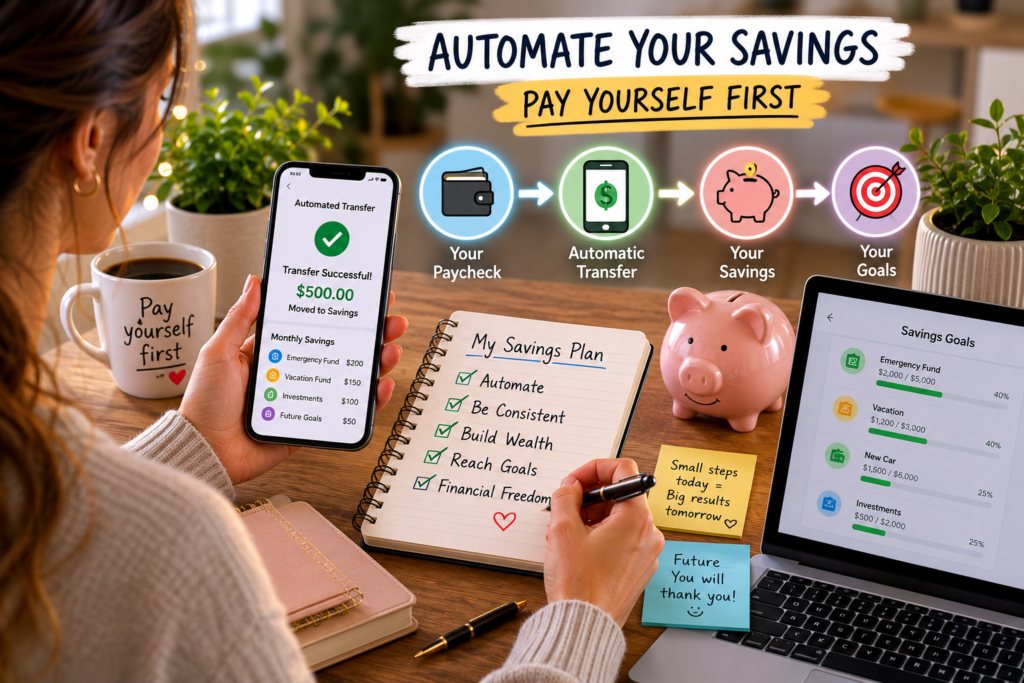
You already know you should be saving money. You’ve read the advice. You’ve made the mental commitment. And then payday hits, bills come through, life happens, and the savings transfer you promised yourself gets pushed to “next month.”
It’s not a willpower problem. It’s a system problem.
The people who consistently save money, month after month, year after year, aren’t more disciplined than everyone else. They’ve built systems that remove the decision entirely. The money moves before they see it, before they can spend it, and before the mental negotiation of “should I save or should I use this for something else” even begins.
That’s what automation does. It replaces the question “will I save this month?” with a fact: the money already moved.
This guide walks through exactly how to set up a savings automation system from scratch, which accounts to use, how much to automate, which tools make it effortless, and how to fine-tune the system so it runs in the background while your savings grow on autopilot.
Why “Pay Yourself First” Fails Without Automation
The phrase “pay yourself first” has been personal finance gospel for decades. The concept is simple: when your paycheck arrives, move money into savings before paying bills, buying groceries, or spending on anything else. Treat savings like your most important bill.
In theory, it’s brilliant. In practice, it falls apart for one reason: it depends on a human being making the same correct decision every single payday.
And human beings are terrible at repeated, boring, low-reward decisions.
Here’s what actually happens for most people who try to save manually:
Payday arrives. You check your balance and feel a brief wave of relief. The account looks healthy.
Bills hit. Rent, utilities, insurance, car payment. The balance drops. Still okay, but the cushion feels thinner.
Daily spending begins. Groceries, gas, a dinner out, an unexpected expense. By day 10, the comfortable balance feels tight.
The savings transfer gets delayed. “I’ll move it next week when things settle down.” Next week, something else comes up. The month ends with nothing saved, and the cycle resets.
This pattern isn’t a character flaw. It’s the predictable result of placing a low-urgency task (saving) at the mercy of high-urgency demands (bills, food, emergencies). Automation breaks the cycle by making savings the first thing that happens, not the last.
The Core Principle: Move Money Before You See It
The most effective savings systems share one trait: the money leaves your checking account before you have a chance to mentally spend it.
Think about how taxes work. Your employer withholds income tax before your paycheck hits your bank account. You never see that money, so you never miss it. You build your entire lifestyle around your take-home pay, not your gross pay.
Automated savings works the same way. If your paycheck is $3,000 and $300 moves to savings automatically on payday, you build your spending habits around $2,700. Within a few weeks, $2,700 feels like your real paycheck. The $300 becomes invisible, quietly accumulating in an account you’re not checking every day.
This is the most powerful psychological trick in personal finance: you can’t spend money you never had access to.
Step 1: Choose the Right Account Structure
Before automating anything, you need accounts set up in the right configuration. The structure matters more than most people realize, because where your money sits determines how easy it is to protect from impulse spending.
Your Checking Account (The Hub)
This is where your paycheck lands. It’s your spending account, the one connected to your debit card, your bills, and your daily transactions. Its job is to hold money for current expenses and nothing more.
Keep your checking account lean. A good target is one month of expenses plus a small buffer of $200 to $500 for timing gaps between bills and income. Anything above that should be automated out.
Your Primary Savings Account (The Vault)
This is where your emergency fund and short-term savings live. Open this at a different bank than your checking account. The separation creates friction, a small but meaningful barrier that protects savings from casual transfers back to checking.
Look for these features:
- High-yield interest rate. Online banks like Marcus (Goldman Sachs), Ally, Capital One 360, and Discover offer rates above 4% APY, compared to the 0.01 to 0.05% at most traditional banks. On a $5,000 balance, that’s the difference between earning $200 per year and earning $2.50.
- No monthly fees and no minimums. Your savings shouldn’t cost you money.
- No debit card attached. You want transfers, not tap-to-pay access. A savings account with a debit card is a checking account with a different name.
- Easy ACH transfers. You need to be able to pull money back in a genuine emergency, but the 1 to 2 business day transfer time creates a natural cooling-off period.
Dedicated Goal Accounts (The Buckets)
Many online banks let you create multiple savings accounts or “buckets” within one account, each labeled for a specific goal: Emergency Fund, Vacation, Car Repair, Holiday Gifts, Down Payment.
This is more than organizational tidiness. Research in behavioral economics shows that mental accounting (assigning money to specific purposes) dramatically reduces the likelihood of spending it on something else. A savings account labeled “Emergency Fund: $2,400 of $5,000” feels like progress. A generic savings account with $2,400 in it feels like available cash.
Banks and apps that support multiple savings buckets:
- Ally Bank: Up to 10 savings buckets per account
- Capital One 360: Unlimited savings accounts with custom names
- SoFi: Vaults feature with individual goals
- Discover: Multiple savings accounts with no fees
Step 2: Set Up Your Automatic Transfers
This is where the system comes to life. You’re going to create automatic transfers that move money on a schedule, without any manual action from you.
Direct Deposit Split (The Gold Standard)
The most seamless method is splitting your paycheck at the source. Most employers allow you to direct deposit into multiple accounts. Instead of sending 100% to checking, set it up like this:
- 85 to 90% to checking (for bills and spending)
- 10 to 15% to savings (your pay-yourself-first amount)
Contact your HR department or log into your employer’s payroll portal. You’ll need your savings account routing number and account number. The setup takes five minutes, and from that point forward, savings happen before the money ever touches your checking account.
This is the gold standard because it’s truly invisible. Your checking account balance on payday already reflects the reduced amount, so there’s no moment of seeing a larger number and feeling the pull to spend it.
Bank-to-Bank Automatic Transfer
If your employer doesn’t support split direct deposit, set up a recurring automatic transfer from your checking account to your savings account.
Schedule it for payday (or one day after, to ensure the deposit clears). If you’re paid biweekly, set up a biweekly transfer. If you’re paid monthly, set up a monthly one.
How to set this up:
- Log into your savings account (the destination bank)
- Link your checking account using routing and account numbers
- Set up a recurring “pull” transfer for your savings amount
- Choose the frequency (weekly, biweekly, or monthly)
- Set the start date to your next payday
Most banks process these transfers in 1 to 2 business days. Setting the pull from your savings bank (rather than a push from checking) gives the savings account priority and is slightly harder to cancel on impulse.
The Two-Transfer System
For people with variable expenses or irregular income, a two-transfer system adds an extra layer of protection:
Transfer 1 (Payday): Fixed savings amount. This is your baseline, the minimum you commit to saving every pay period regardless of circumstances. Start conservative. If $100 per paycheck feels sustainable, set that as transfer one.
Transfer 2 (Mid-cycle): Surplus sweep. Seven to ten days after payday, check your checking account balance. If there’s more than your buffer amount sitting there, set up a manual (or second automatic) transfer to sweep the excess into savings.
This two-step approach captures both your committed savings and any unspent money that would otherwise drift into low-value spending by month’s end.
Step 3: Automate Your Bills (So Savings Aren’t Competing)
Automated savings only works if your bills are automated too. If you’re manually paying rent, utilities, and credit cards, every bill feels like a decision, and decisions create opportunities to “borrow” from savings.
Which Bills to Automate
Automate every recurring bill that’s the same amount each month:
- Rent or mortgage (if your landlord/lender accepts autopay)
- Car payment
- Insurance premiums
- Streaming services and subscriptions
- Phone bill
- Gym membership
- Loan payments
- Minimum credit card payments
For variable bills (utilities, credit cards above minimum), set up autopay for the estimated average or the minimum, then manually add extra when you can.
The Autopay Safety Net
Two precautions to prevent autopay from causing overdrafts:
Build a checking account buffer. Keep $300 to $500 above your expected monthly bills in checking at all times. This covers timing gaps when a bill drafts before your paycheck lands.
Set up low-balance alerts. Every major bank lets you create an alert when your checking balance drops below a threshold. Set it at your buffer amount. If you get the alert, you can pause a savings transfer for that cycle without disrupting the entire system.
The Ideal Money Flow
Once everything is automated, your money follows this path on payday with zero intervention:
graph TD
    A["Paycheck Arrives"] --> B["Savings (10-15% auto-transferred)"]
    A --> C["Checking Account (remaining balance)"]
    C --> D["Fixed Bills (autopay)"]
    C --> E["Variable Bills (autopay minimums)"]
    C --> F["Daily Spending (what's left)"]
You interact with step F only. Everything upstream runs itself.
Step 4: Choose Your Automation Tools
Beyond basic bank transfers, several tools and apps can add layers of automation that capture money you’d otherwise spend.
Round-Up Apps
Round-up tools automatically round every purchase to the nearest dollar and move the spare change into savings or investments.
- Acorns: Rounds up purchases and invests the difference into diversified portfolios. Costs $3 to $9/month depending on the plan. Best for people who want automated investing, not just savings.
- Qapital: Rounds up and lets you set custom savings rules (save $5 every time you buy coffee, save $10 on sunny days, etc.). Creative and customizable.
- Chime: Free round-up feature that moves spare change into a savings account with no fees. No investment component, just straightforward savings.
- Bank of America (Keep the Change): Built-in round-up program for existing BoA customers. Transfers difference to savings automatically.
Round-ups sound trivial, but the math adds up. If you make 40 transactions per month with an average round-up of $0.50, that’s $20/month and $240/year saved without a single conscious decision.
Rule-Based Savings Apps
These apps let you create custom rules that trigger automatic savings based on your behavior:
- Save $2 every time you visit the gym (rewards healthy habits with savings)
- Save $5 every time you skip buying coffee out (captures the “latte factor” automatically)
- Save 10% of every freelance payment (handles irregular income)
- Save $20 every time your checking balance exceeds $1,500 (sweeps surplus automatically)
Qapital and IFTTT (If This Then That) both support rule-based savings triggers. These work especially well for people who find flat-rate automatic transfers too rigid.
Employer Retirement Contributions
If your employer offers a 401(k) or 403(b), this is the most powerful automation available. Contributions are deducted from your paycheck before taxes, before direct deposit, and before you have any chance to spend the money.
If your employer matches contributions (common match: 50 to 100% of the first 3 to 6%), you’re leaving free money on the table by not participating. A 100% match on 3% of your salary is an instant 100% return on investment. No savings app or high-yield account comes close.
At minimum, contribute enough to capture the full employer match. If your employer matches 4%, set your contribution to 4%. Once your short-term savings are solid, increase contributions by 1% every six months until you reach 10 to 15% of gross income.
Health Savings Account (HSA) Automation
If you have a high-deductible health plan, an HSA offers triple tax advantages: contributions are tax-deductible, growth is tax-free, and withdrawals for qualified medical expenses are tax-free. Many employers allow automated HSA contributions through payroll deduction, and some even contribute matching funds.
The 2024 contribution limits are $4,150 for individual coverage and $8,300 for family coverage. Automating even $100/month into an HSA builds a medical expense buffer that reduces financial stress around healthcare costs.
Step 5: Calibrate the Right Savings Rate
The biggest mistake people make with savings automation is starting too aggressively, feeling the squeeze, and turning everything off in frustration. The second biggest mistake is starting so conservatively that the savings barely accumulate.
The Starting Point Framework
If you’ve never automated savings before, use this framework based on your current financial situation:
Tight budget, no savings yet: Start at 5% of take-home pay. On a $3,000 paycheck, that’s $150 per month. Focus on building a $1,000 emergency fund before increasing the rate.
Stable budget, some savings: Start at 10% of take-home pay. On a $3,000 paycheck, that’s $300 per month. Split between emergency fund (until it covers 3 months of expenses) and one other goal.
Comfortable budget, existing emergency fund: Target 15 to 20% of take-home pay. On a $3,000 paycheck, that’s $450 to $600 per month. Split between retirement accounts, mid-term goals, and additional investments.
The 1% Escalation Method
Start where you are and increase your automated savings by 1% of your income every two to three months. This pace is slow enough that your spending habits adjust without pain, but fast enough that your savings rate climbs meaningfully within a year.
Month 1: 5% ($150/month on $3,000 income)
Month 3: 6% ($180/month)
Month 5: 7% ($210/month)
Month 7: 8% ($240/month)
Month 12: 10% ($300/month)
By the end of year one, you’ve doubled your savings rate. By the end of year two, you might be at 15%. Each incremental bump is $30 to $50 per month, small enough to absorb but large enough to compound.
Many 401(k) plans offer an automatic escalation feature that increases your contribution by 1% annually. If yours does, turn it on today.
The “Raise Capture” Rule
Every time you receive a raise, bonus, or income increase, redirect at least 50% of the increase to automated savings before you adjust your lifestyle.
If you get a $200/month raise, increase your automatic transfer by $100 and enjoy the other $100. You’ll still feel richer because your spending went up, but your savings rate accelerated at the same time.
This single rule prevents lifestyle inflation from consuming every raise you’ll ever receive. Over a career with 15 to 20 raises, the accumulated captured savings can reach six figures.
Step 6: Build a Complete Automation Stack
Here’s what a fully automated personal finance system looks like once all the pieces are in place:
Payday Automation (Runs Every Pay Period)
| Action | Destination | Amount |
|---|---|---|
| Direct deposit split | Savings account | 10-15% of paycheck |
| 401(k) contribution | Retirement account | Enough for full employer match (minimum) |
| HSA contribution | Health savings account | $100-350/month if eligible |
Bill Automation (Runs Monthly)
| Bill | Method | Notes |
|---|---|---|
| Rent/mortgage | Autopay or scheduled transfer | Set for 1-2 days after payday |
| Utilities | Autopay (budget billing if available) | Flattens seasonal variation |
| Insurance | Autopay | Pay semi-annually for a discount if possible |
| Phone | Autopay | Many carriers offer $5-10/month autopay discount |
| Subscriptions | Autopay (credit card for rewards) | Review quarterly |
| Credit card (minimum) | Autopay minimum + manual extra payments | Prevents missed payments and late fees |
Passive Automation (Runs Continuously)
| Tool | Action | Expected Monthly Impact |
|---|---|---|
| Round-up app | Saves spare change from purchases | $15-30 |
| Rule-based savings | Custom triggers (gym visits, surplus sweeps) | $20-50 |
| Cash-back credit card | Automatic statement credit or deposit to savings | $15-40 |
Quarterly Manual Review (15 Minutes, 4x Per Year)
- Check savings account balances against goals
- Review subscription list for cancellation candidates
- Increase automated savings by 1% if budget allows
- Rebalance retirement portfolio if needed
- Verify all autopay bills are processing correctly
Common Concerns (And Why They Shouldn’t Stop You)
“What if I automate too much and overdraft?”
Start with a buffer of $300 to $500 in checking. Set low-balance alerts at your buffer threshold. If an alert triggers, skip the next savings transfer (most banks let you pause or skip individual automatic transfers without canceling the recurring schedule). You can always resume the following pay period.
Overdraft protection linked to your savings account adds an extra layer of safety. If checking dips below zero, the bank pulls from savings automatically instead of charging a $35 overdraft fee. Enable this feature, but treat it as a safety net, not a plan.
“My income is irregular. How do I automate?”
Freelancers, commission earners, and gig workers can still automate using a percentage-based approach:
- Funnel all income into a single “income holding” checking account
- On the 1st and 15th of each month, transfer a fixed amount to a “bills” checking account and a fixed amount to savings
- Set the fixed amounts based on your lowest expected monthly income
- When higher-income months happen, sweep the surplus into savings manually or with a rule-based app
The fixed amounts stay conservative so they work even in lean months. The surplus sweeps capture extra in strong months. Over time, the system averages out.
Another approach: save a flat percentage (10 to 15%) of every payment the day it arrives. If a $1,200 freelance check hits your account, immediately transfer $120 to $180 to savings. Automate this as a habit even if the transfer itself is manual.
“I have debt. Should I automate savings or extra debt payments?”
Both. Here’s the split:
- Automate a small savings amount ($50 to $100/month) into an emergency fund until it reaches $1,000 to $2,000
- Automate minimum payments on all debts (prevents late fees and credit damage)
- Direct any remaining budget surplus to the highest-interest debt
Once your starter emergency fund is in place, you can temporarily pause savings automation and throw everything at debt. But having zero savings while aggressively paying debt is risky, because one emergency puts you right back into more debt.
After the debt is paid off, redirect the full payment amount to savings automation. You’re already living without that money, so it won’t feel like a sacrifice.
“I tried automating before and turned it off after two months.”
You probably started too high. Reduce the amount to something almost trivially small, $25 per paycheck, $10 per week, even $5 per transfer. The goal isn’t to save a large amount immediately. It’s to build the infrastructure and the habit.
A $25 biweekly transfer that runs for 12 months saves $650. That’s not life-changing, but it proves the system works and builds your confidence to increase it. Someone who saves $25 automatically for a year is in a better position than someone who saves $200 for two months and then quits.
“What if I need the money back?”
You will need it back eventually. That’s the entire point of an emergency fund. Automated savings isn’t a lockbox. It’s a buffer.
When a real emergency hits, transfer the money back. Use it. Handle the crisis without credit card debt. Then restart the automation and rebuild.
The system isn’t fragile. Withdrawing and restarting is a normal part of the process, not a failure. The automation ensures rebuilding happens without you having to summon motivation from scratch.
The Math That Makes Automation Powerful
Automation’s real advantage isn’t convenience. It’s consistency. And consistency is the variable that determines long-term wealth more than income, investment returns, or financial knowledge.
Consider two people:
Person A saves manually. Some months they save $500, some months $200, and some months nothing. Over a year, they average $250/month with significant gaps. Annual savings: roughly $3,000.
Person B automates $300/month. They never miss a month, never adjust it, never think about it. Annual savings: $3,600.
Person B saved 20% more despite a lower peak effort, simply because the system never took a day off.
Now extend that over time, assuming the $300/month is invested at an average 7% annual return:
- After 5 years: $21,500
- After 10 years: $52,100
- After 20 years: $156,200
- After 30 years: $365,500
That’s from $300 per month, a single automatic transfer that takes five minutes to set up and zero minutes to maintain.
If you increase the automation by 1% of income each year (the escalation method), the 30-year number jumps dramatically. Consistency plus escalation is the formula behind nearly every self-made retirement fund.
The Emotional Benefit Nobody Talks About
The financial math of automation is compelling, but the psychological benefit might matter more for day-to-day life.
When savings are manual, money becomes a constant source of low-grade anxiety. Every purchase triggers a background calculation: “Can I afford this? Should I be saving instead? Am I being responsible?” That mental overhead is exhausting, and it doesn’t actually lead to better decisions. It just makes spending feel guilty and saving feel like punishment.
When savings are automated, that anxiety drops significantly. You know the savings already happened. The money in your checking account is genuinely yours to spend. Buying a coffee or a new shirt doesn’t carry the weight of “I should have saved that” because the saving already occurred.
This is what financial peace actually feels like. Not having a million dollars, but having a system that handles the boring, important stuff so you can spend your mental energy on things that matter.
You stop thinking about money management because the management is handled. You check your savings account once a month, see the number climbing, and go back to your life. That’s the real payoff of automation.
Your 30-Minute Setup Checklist
You can have a working savings automation system running before the end of today. Here’s the sequence:
- Open a high-yield savings account at an online bank if you don’t have one (10 minutes, can be done from your phone)
- Link your checking account to the new savings account using routing and account numbers (5 minutes)
- Set up a recurring automatic transfer from checking to savings, timed to your payday. Start with 5 to 10% of your take-home pay. (5 minutes)
- Log into your employer’s payroll portal and set up direct deposit split if available. Send the savings percentage directly, bypassing checking entirely. (5 minutes)
- Turn on autopay for your three largest recurring bills: rent/mortgage, car payment, and insurance. (5 minutes)
- Set up a low-balance alert on your checking account at your buffer threshold. (2 minutes)
- Schedule a calendar reminder for 90 days from now to review and increase your savings rate by 1%. (1 minute)
Total time: roughly 30 minutes. Total ongoing effort: close to zero.
What Happens After the System Is Running
For the first two to four weeks, you’ll check your savings account frequently. The novelty is real, and watching the balance grow feels satisfying. That’s fine.
After a month or two, you’ll check less often. The transfers become background noise. Your spending naturally calibrates to your post-savings checking balance. You stop noticing the automation entirely.
After six months, you’ll check your savings and be genuinely surprised by the number. The slow, steady accumulation, invisible in real time, becomes strikingly visible in aggregate. This is the moment most people increase their automated amount, because they’ve proven to themselves that the lower checking balance never caused a problem.
After a year, you’ll wonder why you ever tried to save manually. The system runs. The money grows. The stress fades.
And every month, without a reminder, without willpower, without a decision, you’ve already paid yourself first.