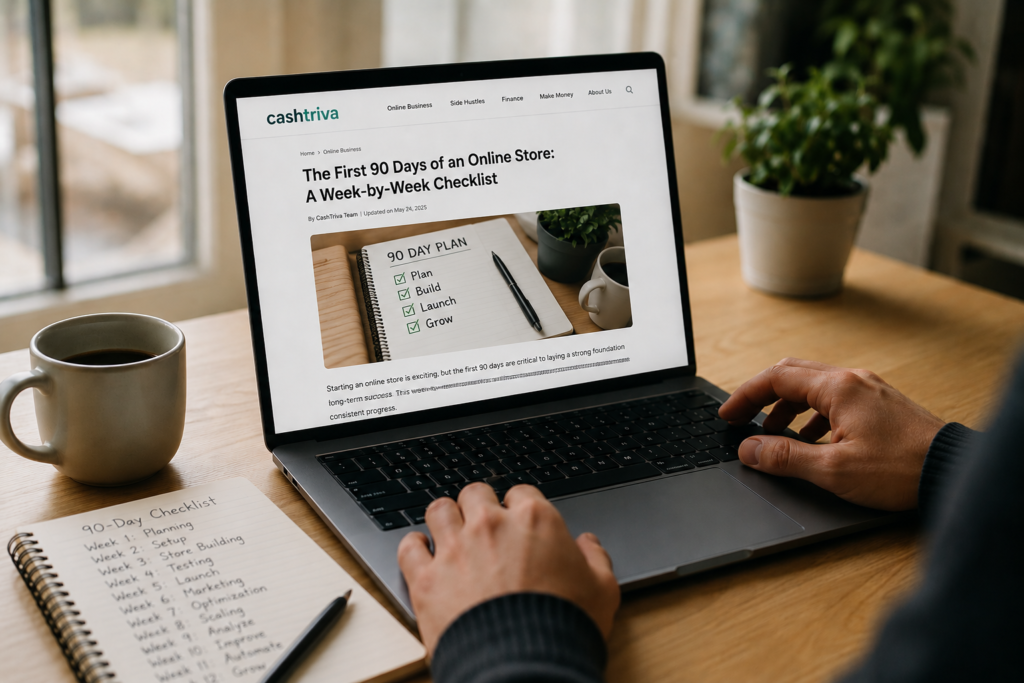
The first 90 days of a new online store will either build a foundation that supports years of growth or create a mess you’ll spend the next year cleaning up.
Most new store owners make the same mistake: they launch too fast, skip steps that feel boring but matter enormously, and then wonder why nobody’s buying. Or they go the other direction, tinkering endlessly and never actually opening the doors.
This guide gives you a structured, week-by-week roadmap for your first 90 days. Each week has a clear focus, specific tasks, and a measurable outcome. Follow this checklist in order, and by day 90, you’ll have a functioning store with real customers, real data, and a clear path forward.
A quick note before we start: this checklist assumes you’ve already decided what to sell and where to sell it (your own Shopify store, Amazon, Etsy, or a combination). If you’re still figuring that out, nail down those decisions first. Everything here builds on having a product and a platform ready to go.
Phase 1: Pre-Launch Foundation (Weeks 1–4)
This first month is about building things right. You’ll be tempted to rush through this phase and start selling immediately. Resist that urge. Every hour you invest in setup and preparation saves you ten hours of fixing things later.
Week 1: Research, Positioning, and Brand Identity
Focus: Know your market, define your brand, and set up the legal basics.
Tasks:
- Finalize your target customer profile. Write down exactly who you’re selling to. Not “women ages 25–45” but something specific: “First-time moms in their late 20s to early 30s who care about organic materials, spend time on Instagram, and are willing to pay a premium for products that are safe and well-designed.” The more specific, the better your marketing will be later.
- Research 10–15 competitors. Visit their stores. Buy something from at least 2 or 3 of them. Study their product pages, pricing, photography, email sequences (sign up for their newsletters), and social media. Take notes on what they do well and where they fall short. You’re looking for gaps you can fill.
- Define your brand positioning. Answer these three questions in one sentence each: (1) What do you sell? (2) Who do you sell it to? (3) Why should they buy from you instead of everyone else? That third answer is your differentiator. If you can’t answer it clearly, you have work to do before you start selling.
- Choose your brand name and secure your domain. Make sure the .com is available (or a clean alternative). Check that the name isn’t trademarked in your product category. Grab matching social media handles on Instagram, TikTok, Pinterest, and Facebook.
- Handle the legal basics. Register your business (LLC is the most common choice for new ecommerce sellers in the U.S.). Get an EIN from the IRS. Open a separate business bank account. Research sales tax requirements for your state and the states where you’ll be shipping.
Week 1 Outcome: You have a clear picture of your customer, your competitors, and your brand identity. Legal and administrative foundations are in place.
Week 2: Product Preparation and Photography
Focus: Get your products retail-ready with professional-quality visuals.
Tasks:
- Finalize your product line for launch. Don’t launch with 50 products. Start with 3 to 10 of your strongest items. You can expand later once you know what’s actually selling. A tight, focused catalog converts better than a sprawling one.
- Set your pricing. Calculate your true cost per unit (materials, manufacturing, shipping to you, packaging). Then factor in platform fees, transaction fees, shipping to customers, and your target profit margin. A common pricing formula: Cost × 3 to 4 = retail price. Make sure your prices are competitive but leave enough margin to run promotions and absorb ad costs later.
- Invest in product photography. This is not optional. Product photos are the single biggest factor in conversion rates for online stores. You have two options:
- DIY on a budget: Use a smartphone with good natural lighting, a white background (foam board works fine), and a simple tripod. Shoot from multiple angles. Include lifestyle shots showing the product in use.
- Hire a professional: Budget $200 to $800 for a product photography session. Worth the investment if your budget allows it.
- Write product descriptions for every item. Lead with the benefit, not the feature. “Keeps your coffee hot for 12 hours” beats “Double-walled stainless steel vacuum insulation.” Include dimensions, materials, care instructions, and anything else a buyer needs to make a confident purchase decision.
- Plan your packaging. Unboxing matters more than most new sellers realize. You don’t need luxury packaging, but your product should arrive looking professional and intentional. At minimum: branded stickers, a thank-you card, and clean protective packaging.
Week 2 Outcome: Your products are photographed, described, priced, and ready to list. Your packaging strategy is decided and materials are ordered.
Week 3: Store Build and Technical Setup
Focus: Build your store, configure the technical details, and set up your operations.
Tasks:
- Build your store. Whether it’s Shopify, WooCommerce, Etsy, or another platform, this is the week you actually put it together.
- Choose a clean, mobile-responsive theme (don’t overthink this; you can change it later)
- Create your homepage, product pages, About page, Contact page, FAQ page, and policy pages (shipping, returns, privacy policy, terms of service)
- Upload all product photos and descriptions
- Set up product categories and navigation
- Configure payment processing. Set up Stripe, PayPal, Shop Pay, or whatever payment methods your platform supports. Test a purchase from start to finish. Actually go through the checkout as a customer and make sure everything works.
- Set up shipping. Decide on your shipping strategy: free shipping (built into pricing), flat rate, or real-time carrier rates. Set up shipping zones, rates, and estimated delivery times. Connect your carrier accounts (USPS, UPS, FedEx, or a shipping service like ShipStation or Pirate Ship).
- Install tracking and analytics. This is non-negotiable:
- Google Analytics 4 (GA4) on your store
- Meta Pixel (Facebook/Instagram pixel) for retargeting and ad optimization
- TikTok Pixel (if you plan to run TikTok ads)
- Google Search Console (for SEO monitoring)
- Set up your email platform. Klaviyo, Mailchimp, or Omnisend are the most popular choices for ecommerce. Connect it to your store. Create at least these two automated flows before launch:
- Welcome series: 3 emails that introduce your brand to new subscribers
- Abandoned cart sequence: 3 emails that recover abandoned checkouts (this flow alone will pay for your email platform many times over)
Week 3 Outcome: Your store is built, functional, and connected to all the tracking and communication tools you’ll need. You’ve tested the complete purchase flow.
Week 4: Pre-Launch Marketing and Soft Launch
Focus: Build anticipation, gather feedback, and do a controlled launch.
Tasks:
- Create your social media presence. Set up business accounts on 2 to 3 platforms where your target customer spends time. Don’t try to be everywhere. Most ecommerce sellers get the best results from some combination of Instagram, TikTok, and Pinterest. Post 5 to 10 pieces of content before launch so your profiles don’t look empty when people find you.
- Build a pre-launch email list. Create a simple landing page with a compelling reason to sign up: “Be the first to shop our launch collection,” a discount code, or a giveaway. Share it across your personal network, relevant Facebook groups, Reddit communities (follow each sub’s self-promotion rules), and social media.
- Do a friends-and-family soft launch. Before going public, send your store link to 10 to 20 people you trust. Ask them to go through the entire purchase process and give you honest feedback on:
- How the site looks and feels on mobile
- Whether the product descriptions are clear
- Any confusion during checkout
- How the confirmation email looks Fix anything they flag.
- Prepare your launch announcement. Write the emails, social posts, and any ad copy you’ll use for launch week. Have everything drafted and scheduled before you go live.
- Set up a customer service system. Even a simple shared inbox works at this stage. Decide on your response time target (24 hours is the minimum standard). Create template responses for common questions: shipping times, return process, product care, sizing, etc.
Week 4 Outcome: You have a small but real email list, social media accounts with initial content, a store tested by real people, and all your launch materials ready to go.
Phase 2: Launch and First Sales (Weeks 5–8)
This is where things get real. Your store is live, and now you’re focused on getting your first customers, learning from real data, and building momentum.
Week 5: Official Launch
Focus: Go live, drive initial traffic, and make your first sales.
Tasks:
- Announce your launch. Send the launch email to your list. Post across all social channels. Tell everyone you know. Don’t be shy about this. Every successful store owner will tell you that their first sales came from personal connections and direct outreach.
- Run a launch promotion. Give people a reason to buy now, not later. Options include:
- A limited-time discount (10% to 15% off with a code)
- Free shipping for the first week
- A free gift with purchase
- A limited-edition launch bundle
- Start paid advertising (if budget allows). Begin with a small daily budget ($10 to $30/day). The goal during launch week isn’t profitability. It’s data collection. Run broad-targeting ads on Meta (Facebook/Instagram) or Google Shopping to see who clicks, who adds to cart, and who buys. You’ll optimize later.
- Engage actively on social media. During launch week, post daily. Respond to every comment and DM within hours. Share behind-the-scenes content, customer reactions, and real-time updates. Authenticity and energy matter more than polish right now.
- Track everything. Set up a simple spreadsheet to track daily metrics:
- Website visitors
- Add-to-cart rate
- Checkout completion rate
- Total orders
- Revenue
- Ad spend (if running ads)
- Email subscribers gained
Week 5 Outcome: Your store is live and has made its first sales. You have initial traffic data and know which channels drove the most visitors and purchases.
Week 6: Analyze, Adjust, and Optimize
Focus: Learn from your first week of data and fix what’s broken.
Tasks:
- Review your Week 5 data. Look at your numbers honestly. Key questions:
- Where did your traffic come from? (Direct, social, email, paid ads, organic search?)
- What’s your conversion rate? (Industry average for new stores is 1% to 2%. If you’re below 1%, something needs fixing.)
- Where are people dropping off? (Landing page? Product page? Cart? Checkout?)
- Which products are getting the most views? Which are actually selling?
- Fix your biggest conversion leak. If people are visiting but not adding to cart, your product pages need work (better photos, clearer descriptions, stronger calls to action, or lower prices). If they’re adding to cart but not checking out, your checkout process might have friction (unexpected shipping costs, limited payment options, confusing forms).
- Optimize your product pages based on real behavior. Rewrite descriptions for products that are getting views but no sales. Test different hero images. Add social proof (reviews, testimonials, user-generated content) wherever you can.
- Refine your ad targeting (if running ads). Look at which audiences, ad creatives, and placements performed best. Kill what isn’t working. Put more budget behind what is. Don’t make dramatic changes yet; just trim the obvious losers.
- Follow up with every customer. Send a personal thank-you email (not automated) to everyone who purchased during launch. Ask for feedback. Ask if they’d be willing to leave a review. These early relationships are gold.
Week 6 Outcome: You’ve identified your biggest conversion problem and started fixing it. You have a clearer picture of what’s working and what isn’t.
Week 7: Content and Organic Growth
Focus: Start building organic traffic channels that will pay off long-term.
Tasks:
- Publish your first 2 to 3 blog posts (if on Shopify or your own site). Write about topics your target customer is actually searching for. Think “how-to” guides, buying guides, and comparison posts related to your product category. Example: if you sell handmade candles, write posts like “Soy vs. Beeswax Candles: Which Burns Cleaner?” or “How to Make Your Candles Last Twice as Long.”
- Optimize your store for SEO. Go through every product page and make sure:
- Title tags include your target keyword
- Meta descriptions are compelling and include relevant search terms
- Image alt text is descriptive
- Product URLs are clean and keyword-rich
- Your homepage has a clear H1 tag that describes what you sell
- Start a Pinterest strategy (if relevant to your product). Pinterest is a search engine, not a social media platform. Create pins for every product and blog post. Join group boards in your niche. Pin consistently (5 to 15 pins per day using a scheduler like Tailwind).
- Collect and display reviews. If you don’t have reviews yet, reach out to early customers and ask directly. Offer a small incentive (a discount on their next order). Install a review app on your store and make reviews visible on every product page.
- Create a content calendar for the next 30 days. Plan your social media posts, blog content, and email sends in advance. Consistency beats intensity. Three posts a week, every week, outperforms a burst of ten posts followed by silence.
Week 7 Outcome: Your organic growth engine is running. You have blog content, an SEO foundation, and a consistent content schedule in place.
Week 8: Email Marketing Deep Dive
Focus: Build your email system into a revenue-generating machine.
Tasks:
- Expand your automated email flows. You should already have a welcome series and abandoned cart sequence. Now add:
- Post-purchase follow-up: Check in 5 to 7 days after delivery. Ask about their experience. Request a review.
- Browse abandonment: Email people who viewed a product but didn’t add it to their cart.
- Win-back sequence: Reach out to customers who haven’t purchased in 30+ days (you’ll activate this later as your customer base grows).
- Send your first promotional campaign. Don’t wait until you have a huge list. Even if you only have 50 subscribers, send a campaign. Test a product spotlight, a behind-the-scenes story, or a limited-time offer. Track open rates, click rates, and revenue generated.
- Grow your list aggressively. Add an email signup popup to your store (trigger it after 5 to 10 seconds, or on exit intent). Offer a clear incentive: 10% off the first order is the standard, but you can test alternatives like free shipping or a free guide. Make sure the signup form is on every page of your site.
- Segment your list. Even with a small list, start segmenting:
- Subscribers who haven’t purchased yet
- One-time buyers
- Repeat buyers (if any)
- High-value buyers vs. discount buyers Different segments should receive different messages. A subscriber who’s never bought needs convincing. A repeat buyer needs to feel appreciated.
Week 8 Outcome: Your email marketing is generating revenue on autopilot through automated flows, and you have a system for growing and segmenting your list.
Phase 3: Growth and Optimization (Weeks 9–13)
By now, you have real sales data, a functioning store, and the beginnings of a marketing system. This phase is about scaling what works and cutting what doesn’t.
Week 9: Deep Data Review and Strategy Adjustment
Focus: Analyze your first two months and make strategic decisions based on real numbers.
Tasks:
- Run a full financial review. Calculate your actual numbers:
- Total revenue
- Cost of goods sold (COGS)
- Platform/transaction fees
- Shipping costs
- Marketing/ad spend
- Net profit (or loss)
- Customer acquisition cost (CAC): total marketing spend ÷ number of new customers
- Average order value (AOV) Be brutally honest with yourself. If you’re losing money, that’s okay at this stage, but you need to know where the money is going and have a plan to fix it.
- Identify your winning products. Which items have the highest conversion rate? The highest margin? The most repeat purchases? Double down on your winners. Consider discontinuing or deprioritizing products that aren’t moving.
- Evaluate your traffic channels. Rank your channels by cost-per-acquisition (or time invested per sale for organic channels). Where are your most profitable customers coming from? That’s where you should invest more.
- Set specific goals for the next 30 days. Not vague goals like “grow sales.” Specific, measurable goals:
- “Increase average order value from $38 to $45 by adding a bundle offer”
- “Reduce customer acquisition cost from $22 to $16 by testing new ad creatives”
- “Grow email list from 200 to 500 subscribers”
Week 9 Outcome: You have a clear financial picture, know your strongest products and channels, and have specific 30-day targets.
Week 10: Conversion Rate Optimization
Focus: Get more sales from the traffic you already have.
Tasks:
- Optimize your top product pages. Focus on the 3 to 5 products that get the most traffic. For each one:
- Test a new hero image
- Rewrite the first two lines of the description to lead with a stronger benefit
- Add urgency elements (low stock notices, limited-time pricing)
- Make sure the “Add to Cart” button is visible without scrolling on mobile
- Add social proof directly near the buy button (star rating, number of reviews, “X people bought this today”)
- Simplify your checkout. Remove any unnecessary steps or fields. Enable guest checkout if you haven’t already. Display trust badges, security seals, and accepted payment methods near the checkout button. Show clear shipping costs and estimated delivery times before the customer reaches checkout (surprise fees at checkout are the number one cause of abandoned carts).
- Test a cross-sell or upsell strategy. Add “Frequently bought together” or “You might like” sections to your product pages. Offer a bundle discount. Test a post-purchase upsell (an offer shown on the thank-you page right after checkout).
- Speed up your site. Run your store through Google PageSpeed Insights. If your mobile score is below 50, you have a problem. Common fixes: compress images, remove unused apps, switch to a faster theme, and enable lazy loading for images.
- Make sure your store looks great on mobile. Over 70% of ecommerce traffic comes from phones. Browse your entire store on your phone. Go through the complete purchase process on mobile. If anything feels clunky, slow, or confusing, fix it immediately.
Week 10 Outcome: Your conversion rate has improved from your baseline. Your checkout is cleaner, your product pages are stronger, and your site loads faster.
Week 11: Scaling Your Marketing
Focus: Increase your reach and spend more on what’s already working.
Tasks:
- Scale your best-performing ad campaigns. If you’ve found a campaign that’s profitable (or close to profitable), gradually increase the budget by 20% to 30% every 3 to 5 days. Don’t double your budget overnight; it disrupts the algorithm’s optimization.
- Test new ad formats and platforms. If you’ve only been running Facebook ads, test Google Shopping or TikTok. If you’ve been doing static image ads, try video. Test user-generated content (UGC) style ads, which tend to outperform polished brand ads for most ecommerce products.
- Launch an influencer or affiliate campaign. Identify 10 to 20 micro-influencers (1,000 to 50,000 followers) in your niche. Offer free products in exchange for honest reviews and social media posts. If budget allows, negotiate paid partnerships with the 2 or 3 that have the most engaged audiences.
- Double down on your best organic channel. If Pinterest is driving traffic, increase your pin volume. If Instagram Reels are working, post them more frequently. If your blog is starting to rank, publish more content targeting similar keywords.
- Launch a referral program. Give existing customers a reason to spread the word. A simple structure: “Give your friends 10% off, get $10 credit for every referral.” Tools like ReferralCandy, Smile.io, or built-in platform features make this easy to set up.
Week 11 Outcome: Your marketing budget is allocated based on proven performance data. You’re spending more on winners and testing new channels methodically.
Week 12: Customer Retention and Loyalty
Focus: Turn one-time buyers into repeat customers.
Tasks:
- Analyze your repeat purchase rate. How many of your customers have bought more than once? If the answer is close to zero, that’s your biggest growth opportunity. Acquiring a new customer costs 5 to 7 times more than retaining an existing one.
- Launch a loyalty or rewards program. Points for purchases, referrals, and social shares. VIP tiers for your best customers. Birthday discounts. Keep it simple and rewarding. Complicated programs with too many rules get ignored.
- Send a “we miss you” campaign. Email every customer who bought in their first month but hasn’t returned. Offer an exclusive discount or early access to new products. Personalize the message based on what they purchased.
- Improve your post-purchase experience. Map out what happens after someone places an order:
- Do they get a clear confirmation email?
- Do they receive shipping updates?
- Is the unboxing experience memorable?
- Do you follow up to check if they’re happy with their purchase?
- Do you make it easy for them to reorder? Every touchpoint is a chance to build loyalty or lose a customer forever.
- Ask for feedback systematically. Send a short survey (3 to 5 questions maximum) to every customer 14 days after delivery. Ask what they loved, what could be better, and what products they’d like to see next. This data is more valuable than any market research you could buy.
Week 12 Outcome: You have a retention strategy in place. You’re actively working to bring past buyers back and gathering feedback to improve your offering.
Week 13: 90-Day Review and Planning
Focus: Assess everything you’ve built and create your roadmap for the next quarter.
Tasks:
- Conduct a comprehensive 90-day review. Pull together all your data and answer these questions:
- Revenue: How much did you generate? Is it trending up week over week?
- Profitability: Are you profitable? If not, what’s the path to profitability and how many months away is it?
- Customer acquisition: What’s your average cost to acquire a customer? Is it sustainable?
- Best channels: Which 2 to 3 marketing channels drive the most revenue per dollar (or hour) spent?
- Product performance: Which products are winners? Which should be retired or reworked?
- Customer satisfaction: What’s your review average? What are the most common complaints or requests?
- Email performance: How large is your list? What’s your revenue per subscriber?
- Document what you’ve learned. Write down your top 5 wins and your top 5 mistakes. Be specific. This becomes your playbook and prevents you from repeating the same errors in quarter two.
- Create a 90-day plan for the next quarter. Based on everything you’ve learned, set goals and priorities for months 4 through 6. Common priorities at this stage:
- Expanding your product line based on customer demand
- Scaling your top 2 marketing channels
- Improving margins (negotiating with suppliers, optimizing shipping costs, reducing ad spend per acquisition)
- Building systems and processes so you’re not doing everything manually
- Hiring your first contractor or part-time help (virtual assistant, social media manager, customer service rep)
- Celebrate the milestone. Seriously. Running an online store for 90 days, making real sales, and learning this much is an accomplishment. Most people who say they want to start an online business never get this far.
Week 13 Outcome: You have a complete picture of your first 90 days, a documented set of lessons, and a clear plan for the next quarter.
The Complete 90-Day Checklist at a Glance
Here’s every week summarized so you can reference it quickly:
| Week | Focus Area | Key Deliverable |
|---|---|---|
| 1 | Research, positioning, brand identity | Target customer profile and competitor analysis complete |
| 2 | Product prep and photography | All products photographed, described, and priced |
| 3 | Store build and technical setup | Store live (in preview mode), analytics and email connected |
| 4 | Pre-launch marketing and soft launch | Email list started, friends-and-family testing complete |
| 5 | Official launch | Store is public, first sales generated |
| 6 | Analyze, adjust, optimize | Biggest conversion leak identified and addressed |
| 7 | Content and organic growth | Blog posts published, SEO foundations set |
| 8 | Email marketing deep dive | Automated flows active, list growth system running |
| 9 | Deep data review | Full financial picture, 30-day goals defined |
| 10 | Conversion rate optimization | Product pages and checkout improved |
| 11 | Scaling marketing | Budget reallocated to top-performing channels |
| 12 | Customer retention and loyalty | Retention strategy launched |
| 13 | 90-day review and planning | Comprehensive review complete, next quarter planned |
Common Mistakes to Avoid in Your First 90 Days
After looking at what to do, here are the traps that catch most new store owners:
Spending too much time on design. Your logo, color palette, and font choices matter far less than your product photos, descriptions, and marketing. A simple, clean store with great products beats a gorgeous store with mediocre ones every time.
Ignoring mobile. If your store doesn’t work perfectly on a phone, you’re losing the majority of your potential customers. Test on mobile early and often.
Not installing tracking from day one. Every day without Google Analytics and your ad pixels is a day of lost data. You can’t optimize what you can’t measure.
Trying to be on every platform at once. Pick 2 to 3 social media channels maximum. Master those before adding more. Spreading yourself across six platforms means doing a mediocre job on all of them.
Giving up after the first week. Most online stores don’t hit their stride until month 2 or 3. The first few weeks will feel slow. That’s normal. Stay consistent with your marketing, keep optimizing, and give the compound effect time to work.
Not talking to customers. Your first 20 to 50 customers are a goldmine of information. Email them personally. Ask questions. Listen to what they say. Their feedback will shape every decision you make going forward.
Ignoring email marketing. Social media reaches maybe 5% to 10% of your followers. Email reaches 90%+ of your list. Building your email list and sending consistent campaigns is the single highest-ROI marketing activity for most ecommerce stores.
What Success Looks Like at 90 Days
Let’s set realistic expectations. After 90 days of consistent execution, a new online store should have:
- 50 to 200+ orders (varies wildly by product price, niche, and marketing budget)
- A conversion rate between 1% and 3%
- An email list of 200 to 1,000+ subscribers
- At least one profitable marketing channel identified
- A handful of genuine customer reviews
- A clear understanding of which products are winners
- Systems in place for fulfillment, customer service, and marketing
- A realistic path to monthly profitability (if not there already)
Some stores will blow past these numbers. Others will fall short. Both outcomes are fine as long as you’re learning, adjusting, and moving forward.
The online stores that succeed long-term aren’t the ones that have a perfect launch. They’re the ones that show up every week, pay attention to the data, listen to their customers, and keep getting better. Your first 90 days are about building that habit and that foundation. Everything that comes after grows from what you put in place right now.
Which week are you in right now, and what’s the biggest challenge you’re running into? Your answer to that question will tell you exactly where to focus next.