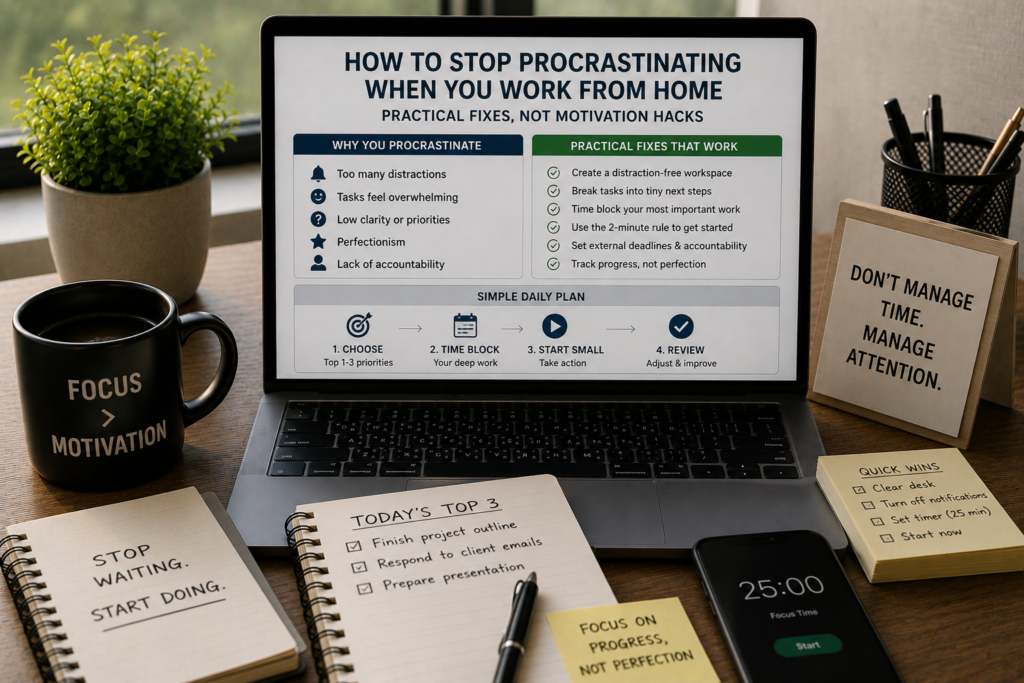
Let’s be honest about what procrastination looks like when you work from home.
It’s not dramatic. You don’t announce to yourself, “I’ve decided not to work today.” It’s quieter than that. You open your laptop with the full intention of being productive. Then you check your email. Then you refill your coffee. Then you notice the dishes in the sink. Then you remember a message you forgot to reply to. Then you open a tab to “quickly look something up.” An hour disappears. Then another. By the time guilt kicks in hard enough to start working, half the day is gone and your energy has cratered.
You don’t need a motivational speech. You don’t need to “find your why” or visualize your future self. You need mechanical fixes, specific changes to your environment, your schedule, and your task structure that make procrastination harder and starting easier.
That’s exactly what this guide delivers.
Why Procrastination Gets Worse at Home (It’s Not a Character Flaw)
If you procrastinate more at home than you ever did in an office, that doesn’t mean you lack discipline. It means your environment changed, and you haven’t adjusted the systems around you to compensate.
An office does a lot of invisible work for you:
- Social pressure. When colleagues can see your screen, you think twice before opening YouTube.
- Physical cues. Walking through the office door, sitting at a specific desk, seeing coworkers working, these all signal “it’s time to focus.”
- Structured time. Meetings, lunch breaks, and commute times chop the day into blocks. You don’t have to decide when to start. The schedule decides for you.
- Reduced temptation. There’s no couch at the office. No TV. No bed you can crawl back into. The environment has guardrails built in.
At home, all of those supports vanish. You’re left making dozens of micro-decisions every hour: When should I start? Where should I sit? Should I check that notification? Can I take a quick break? Each decision drains a small amount of mental energy, and every temptation sits within arm’s reach.
Procrastination isn’t the disease. It’s the symptom. The real problem is an environment full of friction against work and zero friction against distraction.
The fix? Flip that equation.
Fix #1: Make Starting Stupidly Easy
The hardest part of any task isn’t doing it. It’s starting it.
Procrastination thrives in the gap between “I should start” and “I’m actually working.” The wider that gap, the more room there is for avoidance. Your goal is to shrink that gap to almost nothing.
The two-minute start rule: Instead of committing to a full work session, commit to just two minutes. Open the document. Write one sentence. Read one paragraph of the brief. Pull up the code editor and type a comment.
This works because of a well-documented psychological principle: once you begin a task, your brain shifts from resistance mode to continuation mode. Starting is the bottleneck, not sustaining.
Practical ways to make starting easier:
- End each workday mid-task. This sounds counterintuitive, but leaving a task half-finished gives you an obvious re-entry point the next morning. Instead of facing a blank page, you face a sentence that needs finishing. Hemingway used this exact technique, stopping mid-sentence so he’d know where to pick up the next day.
- Prepare your workspace the night before. Close all non-work browser tabs. Open the files you’ll need. Write down your first task on a sticky note and place it on your keyboard. When you sit down in the morning, the decision about what to do is already made.
- Script your first 15 minutes. Don’t leave your opening move to chance. “At 8:00 AM, I sit down, open the project file, and work on section three.” The more specific the instruction, the less your brain has to negotiate with itself.
The pattern here: reduce the number of decisions between you and your work to zero.
Fix #2: Separate Your Spaces (Even If You Live in a Studio)
One of the biggest procrastination triggers at home is context collapse. Your brain uses environmental cues to determine what mode it should be in. When the same couch where you watch Netflix is the same couch where you try to write reports, your brain doesn’t know whether to focus or relax. So it defaults to relaxation, because that’s the easier option.
If you have a spare room: Turn it into a dedicated office. Work only happens in that room. When you leave the room, work is over. This physical boundary creates a mental boundary.
If you don’t have a spare room: Create separation through smaller cues.
- Use a specific chair or spot at the table that’s only for work. Never sit there to eat, browse, or watch anything.
- Change one sensory element when you switch to “work mode.” Put on headphones. Light a specific candle. Play a particular ambient soundtrack. Wear shoes (yes, shoes at home). These seem small, but your brain picks up on them as transition signals.
- Use a different browser profile for work. Your personal browser has bookmarks, history, and auto-logins for every distracting site you visit. A clean work profile removes those temptation pathways.
- Wear different clothes. You don’t need a suit. But changing out of pajamas tells your brain the leisure period is over. Multiple studies have shown that clothing affects cognitive performance, a phenomenon researchers call “enclothed cognition.”
The principle: create physical or sensory differences between “home you” and “working you,” even if both versions of you exist in the same 600-square-foot apartment.
Fix #3: Use the “Anti-Todo List” to Break the Avoidance Cycle
Traditional to-do lists can actually make procrastination worse. Here’s why: when you look at a list of 12 tasks, your brain doesn’t see 12 opportunities. It sees 12 obligations. The longer the list, the heavier it feels, and the more likely you are to avoid looking at it entirely.
Try flipping the concept. Instead of (or in addition to) a to-do list, keep an anti-todo list: a running log of everything you’ve already accomplished during the day.
Every time you finish something, whether it’s a 2-hour project or a 5-minute email, write it down.
Why this works:
- It provides visible proof that you’re making progress. Procrastination often comes with a distorted perception that “I haven’t done anything all day.” The anti-todo list corrects that distortion with evidence.
- It creates positive momentum. Seeing a growing list of completed items triggers a small dopamine hit, the same reward mechanism that makes checking off boxes satisfying. That momentum makes starting the next task easier.
- It reduces the shame spiral. Procrastination and guilt feed each other. You procrastinate, feel guilty, and the guilt makes you avoid work even more. The anti-todo list interrupts that cycle by redirecting your attention from what you haven’t done to what you have.
Keep it simple. A notebook, a sticky note on your monitor, or a plain text file. The format doesn’t matter. The act of recording your wins does.
Fix #4: Kill Your Biggest Time Drain (You Already Know What It Is)
You don’t need an audit to identify your primary distraction. You already know what it is. For most remote workers, it’s one of these:
- Social media (Instagram, Twitter/X, TikTok, Reddit)
- News sites and “just checking” loops
- Messaging apps (Slack, Discord, WhatsApp)
- YouTube or streaming services
- The phone itself
The standard advice is “use willpower to resist.” That advice fails because it treats distraction as a discipline problem instead of a design problem. You’re not weak for checking your phone. Your phone was engineered by thousands of people whose entire job is to make you check it. You’re fighting a billion-dollar attention economy with raw willpower. That’s not a fair fight.
Stop trying to resist. Start removing access.
- Website blockers: Tools like Cold Turkey Blocker, Freedom, or LeechBlock let you block specific sites during work hours. The best ones make it inconvenient to override, which is the point. Cold Turkey’s strictest mode can’t be undone even by restarting your computer.
- Phone lockboxes: A physical lockbox (like the Kitchen Safe or kSafe) lets you lock your phone for a set time. You physically can’t access it until the timer expires. Extreme? Yes. Effective? Extremely.
- App timers: Both iOS (Screen Time) and Android (Digital Wellbeing) let you set daily limits on specific apps. Once you hit the limit, the app locks. You can override it, but the friction of doing so makes you pause and reconsider.
- Notification purge: Go through your phone’s notification settings right now. Turn off notifications for everything except calls and messages from real humans. Every buzz, badge, and banner is a tiny interruption, and research shows it takes an average of 23 minutes to fully regain focus after a single interruption.
- The “phone in another room” rule: The simplest and most effective strategy. A 2017 study from the University of Texas found that having your phone on your desk, even face-down, even powered off, reduced available cognitive capacity. The mere presence of the device occupied mental resources. Put it in a drawer, a bag, or another room during deep work blocks.
This isn’t about demonizing technology. It’s about controlling when and how you engage with it, instead of letting it control you.
Fix #5: Structure Your Day Around Energy, Not Hours
The standard work-from-home mistake is trying to replicate an 8-hour office schedule at home. You block 9 to 5, assume you’ll be productive the entire time, and then feel like a failure when you’re not.
Here’s the reality: nobody does 8 hours of focused work in a day. Not in an office, not at home, not anywhere. Studies tracking actual productive output consistently show that most knowledge workers produce about 3-4 hours of genuinely focused work per day. The rest is meetings, admin, transitions, and, yes, some degree of time-wasting.
Instead of fighting this reality, design your schedule around it.
Map your energy, not just your time. For one week, track when you feel sharp and when you feel sluggish. Most people fall into one of these patterns:
- Morning peak: High energy from wake-up until late morning, dip after lunch, mild second wind in late afternoon.
- Afternoon peak: Slow start, energy builds through the morning, peak performance from 11 AM to 3 PM.
- Night owl: Low energy until evening, best focus from 7 PM onward.
Once you know your pattern, schedule your hardest, most procrastination-prone tasks during your peak hours. Schedule calls, emails, and admin during your low-energy periods.
A practical energy-based schedule might look like this (for a morning-peak person):
| Time | Energy Level | Task Type |
|---|---|---|
| 8:00 – 10:30 AM | High | Deep focus work (hardest task of the day) |
| 10:30 – 11:00 AM | Transitioning | Break, movement, snack |
| 11:00 AM – 12:30 PM | Medium-High | Second priority task or creative work |
| 12:30 – 1:30 PM | Low | Lunch, full break |
| 1:30 – 3:00 PM | Medium-Low | Emails, admin, light tasks |
| 3:00 – 3:30 PM | Low | Review day, plan tomorrow |
Notice: the total focused work time is about 4 hours. That’s realistic. That’s sustainable. And because it matches your natural energy, you’ll procrastinate less, because the work feels less effortful during those windows.
Fix #6: Use the “If-Then” Procrastination Interrupter
Procrastination follows predictable patterns. Once you recognize your personal patterns, you can install pre-programmed responses that interrupt them before they take hold.
Psychologists call these “implementation intentions,” if-then rules that bypass deliberation and trigger automatic behavior.
How to build them:
- Identify your procrastination triggers. What typically happens right before you start procrastinating? Common triggers include:
- Feeling overwhelmed by a task
- Not knowing where to start
- Feeling bored or unchallenged
- Getting an urge to check your phone
- Hitting a confusing or difficult section of work
- Write a specific if-then rule for each trigger. For example:
- If I feel overwhelmed by a task → Then I will break it into three smaller pieces and start with the easiest one.
- If I don’t know where to start → Then I will set a 5-minute timer and write anything related to the task, even if it’s bad.
- If I get the urge to check my phone → Then I will take three deep breaths, write down what I was about to do, and return to my task.
- If I hit a confusing section → Then I will skip it, work on the next section, and come back to the hard part later.
- If I catch myself browsing → Then I will close the tab, stand up, stretch for 30 seconds, and sit back down to work.
- Write these rules on a card and keep it visible at your desk. The physical reminder matters during the first few weeks, before the responses become habitual.
The power of if-then rules is that they take the decision out of the moment. You’re not trying to summon willpower when the urge hits. You’ve already decided what you’ll do. You’re just executing a pre-made plan.
Fix #7: Shrink Your Tasks Until They’re Impossible to Avoid
Big, vague tasks are procrastination magnets. “Work on the marketing strategy” gives your brain nothing concrete to grab onto, so it does what brains do with ambiguity: it avoids the whole thing.
The fix is aggressive task decomposition, breaking every big task into pieces so small that each one feels almost too easy to skip.
The rule: if a task takes more than 30 minutes, it’s too big. Break it down further.
Here’s an example:
Vague task: “Write the blog post.”
Decomposed version:
- Research 3 competitor articles on the same topic (15 min)
- Write a rough outline with 5-7 section headers (10 min)
- Write the introduction paragraph (15 min)
- Write section 1 (20 min)
- Write section 2 (20 min)
- Write sections 3-5 (25 min)
- Write the conclusion (10 min)
- Edit for flow and clarity (20 min)
- Add links, formatting, and images (15 min)
- Final proofread and publish (10 min)
Each sub-task is specific, time-bound, and small enough that your brain doesn’t feel threatened by it. “Write a rough outline with 5-7 headers” is approachable. “Write the blog post” is not.
Bonus: small tasks generate frequent completion signals. Every time you check one off, you get a micro-burst of satisfaction that propels you to the next one.
Fix #8: Install a “Procrastination Tax”
Behavioral economics teaches us that people are more motivated by avoiding losses than by pursuing gains. You can use this principle, called loss aversion, to make procrastination costly.
Practical ways to create a procrastination tax:
- The money jar method. Put $5 (or $10, or whatever stings a little) into a jar every time you catch yourself procrastinating for more than 15 minutes. At the end of the month, donate it to a cause you don’t support. The emotional cost of funding something you disagree with is a powerful deterrent.
- Accountability bets. Tell a friend or colleague: “I’ll finish this report by Thursday at 5 PM. If I don’t, I owe you dinner.” Real stakes create real urgency.
- Apps with consequences. Beeminder charges you real money when you miss a goal. StickK lets you set a commitment contract with financial penalties. These tools work precisely because they make procrastination hurt.
- Public commitment. Post your daily goal somewhere visible, a Slack channel, a tweet, a message to an accountability partner. The prospect of public failure activates social motivation, even when you’re sitting alone at home.
The idea isn’t to punish yourself. It’s to rebalance the cost equation. Right now, procrastination is free. It costs you nothing in the moment (the consequences come later). Adding an immediate cost shifts your brain’s calculation in favor of doing the work.
Fix #9: Use “Temptation Bundling” to Make Work Feel Less Painful
Some tasks are just boring. No amount of reframing will make data entry exciting or expense reports fun. For those tasks, stop trying to make them enjoyable and instead pair them with something you already enjoy.
This technique, called temptation bundling, was coined by behavioral scientist Kathy Milkman. The concept is simple: link a task you’re avoiding with a reward you’re craving.
Examples:
- Only listen to your favorite podcast while doing admin work.
- Only drink your fancy coffee during your first deep work block.
- Only watch that show you’re bingeing during lunch, and only if you completed your morning deep work.
- Only order food delivery on days when you hit all three of your daily priorities.
The key is exclusivity. The reward has to be available only during or after the work you’re avoiding. If you listen to the podcast anytime, it loses its motivational pull.
Temptation bundling doesn’t require willpower. It leverages desire, which is a much more reliable fuel source.
Fix #10: Handle the “I’ll Just Do It Later” Lie
“I’ll do it later” is the most dangerous sentence in a remote worker’s vocabulary. It feels responsible, like you’re committing to the task and simply rescheduling it. But in practice, “later” almost never comes. The task gets pushed to the afternoon, then to tomorrow, then to next week.
Here’s why: when you say “I’ll do it later,” you transfer the discomfort of the task to your future self. Present-you gets the relief of not doing it right now, while future-you inherits the same resistance plus the added pressure of less time.
Three ways to neutralize the “later” trap:
1. The 10-minute test. When you catch yourself saying “I’ll do it later,” commit to working on it for just 10 minutes right now. If after 10 minutes you genuinely want to stop, you can. But most of the time, you won’t. The initial resistance fades once you’re in motion.
2. Schedule “later” immediately. If you truly can’t do it now, open your calendar and block a specific time for it. “I’ll do it later” becomes “I’ll do it at 2:15 PM.” A specific time is a commitment. A vague “later” is a wish.
3. Ask yourself the real question. When the urge to defer hits, pause and ask: “Am I postponing this because the timing is genuinely wrong, or because I want to avoid the discomfort of starting?” Be honest. Nine times out of ten, the answer is the second one.
Fix #11: Build a Transition Ritual Between Home Life and Work Life
In an office, the commute serves as a psychological transition. It gives your brain time to shift gears from “home mode” to “work mode.” At home, there’s no commute. You stumble from bed to desk, and your brain is still in sleep mode when you’re supposed to be producing.
Create an artificial commute, a short ritual that signals the shift.
Morning transition (home → work):
- Take a 10-minute walk around the block before starting work. The physical movement and change of scenery primes your brain for activity.
- If you can’t walk, do 5 minutes of stretching or light exercise.
- Make your coffee or tea the same way, at the same time, in the same mug. Rituals create consistency, and consistency creates readiness.
- Sit down at your workspace and review your priorities for the day before opening any apps.
Evening transition (work → home):
- Close your laptop at the same time each day. Shut it completely, don’t just minimize windows.
- Write down the first task for tomorrow. This “shutdown ritual” gives your brain permission to stop thinking about work.
- Change your clothes, move to a different room, or take another short walk. Physically mark the end of the work period.
- Avoid checking work email after your shutdown time. Every “quick check” reactivates work mode and bleeds into your personal time.
These transitions take 10-15 minutes combined, but they solve two problems at once: they help you start work faster in the morning and stop work cleanly in the evening.
Fix #12: Redesign How You Think About Deadlines
Remote workers who set their own deadlines face a paradox: self-imposed deadlines feel less real than external ones, so they carry less motivational weight. You know you set the deadline yourself, which means you know you can move it.
Three strategies to make your own deadlines stick:
1. Create external deadlines wherever possible. Tell a client when to expect the delivery. Schedule a meeting to present your work. Post a launch date publicly. When someone else is expecting your output on a specific day, the deadline transforms from a suggestion to a commitment.
2. Use the “deadline shrink” technique. Whatever deadline you’d naturally give yourself, cut it by 30%. If you think a project will take two weeks, set the deadline for 10 days. The slightly uncomfortable timeline prevents the gradual drift that happens when you have “plenty of time.” Parkinson’s Law, the observation that work expands to fill the time available, is real and measurable. Give yourself less time, and you’ll find faster ways to get things done.
3. Break long deadlines into checkpoint deadlines. A project due in four weeks feels distant and abstract on Day 1. But if you break it into weekly milestones (Week 1: research complete. Week 2: first draft. Week 3: revisions. Week 4: final version), each milestone creates its own urgency.
Fix #13: Address the Emotional Root, Not Just the Behavior
Sometimes procrastination isn’t about poor systems or bad habits. Sometimes it’s emotional.
You procrastinate on a task because:
- You’re afraid of doing it poorly. Perfectionism disguises itself as procrastination. If you never start, you never have to face the possibility that your work isn’t good enough.
- You resent the task. Maybe it was assigned to you unfairly, or it conflicts with what you actually want to be doing. Resentment is a quiet procrastination driver that no productivity hack can fix.
- You’re burned out. Chronic procrastination across all tasks, not just hard ones, is often a signal that you’ve been running on empty for too long. The fix isn’t a better schedule. It’s rest.
- You’re anxious about the outcome. Sending that proposal means you might get rejected. Publishing that article means people might criticize it. Procrastination becomes a shield against potential negative outcomes.
If any of these resonate, the behavioral fixes in this article will help manage the symptoms, but the root cause needs attention too.
Some practical approaches:
- For perfectionism: Give yourself explicit permission to produce a bad first draft. Remind yourself that editing a mediocre page is infinitely easier than editing a blank one.
- For resentment: Ask whether the task is genuinely necessary. If it is, find one aspect of it that connects to something you care about. If it isn’t, delegate it or drop it.
- For burnout: Take a real break, not a “working vacation,” not a day where you feel guilty for not working, a genuine break. Sometimes the most productive thing you can do is nothing.
- For anxiety: Separate the act of doing from the act of sharing. Write the proposal without thinking about sending it. Finish the article without thinking about publishing it. Remove the stakes from the creation process, and add them back only when the work is done.
What to Do Right Now (Not Later, Not Tomorrow, Now)
If you’ve read this far, you’re already more informed than you were 15 minutes ago. But information without action is just entertainment.
Here’s your assignment for the rest of today:
- Pick the fix that addresses your single biggest procrastination problem. Not three fixes. Not five. One.
- Implement it before you close this tab. Set up the website blocker. Write your if-then rules. Break tomorrow’s biggest task into sub-tasks. Put your phone in another room. Pick one action and do it right now.
- Test it for five working days. Don’t judge it on Day 1. Give it a real trial.
- After five days, evaluate. Did you procrastinate less? Was it the right fix? If yes, keep it and add a second one. If not, try a different fix from this list.
Procrastination at home isn’t permanent and it isn’t a personality trait. It’s a response to an environment that wasn’t built for focused work. Change the environment, change the behavior.
No motivation required.