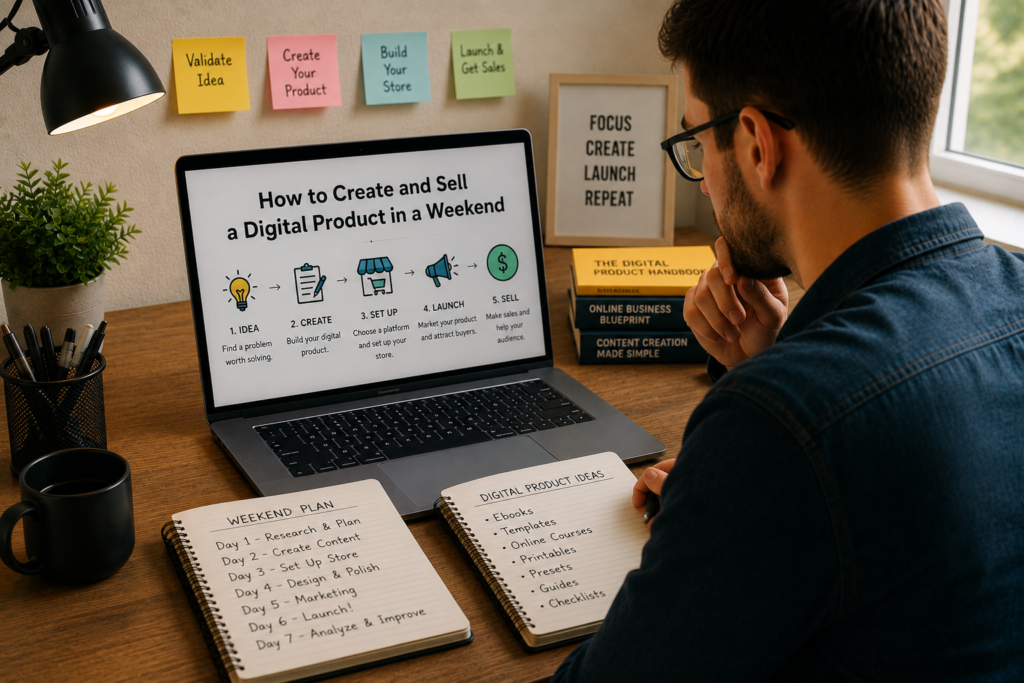
Somewhere between Friday evening and Sunday night, you could go from having nothing to having a real product listed for sale and generating revenue. Not a concept. Not a “someday” plan. An actual product, live and ready to buy.
This isn’t hype. Digital products are one of the few things in business where the gap between idea and income can realistically be closed in 48 hours. No inventory. No shipping. No warehouse. No manufacturer. Just your knowledge, your laptop, and a focused weekend.
People are doing this right now. Designers sell Canva template packs. Writers sell email swipe files. Developers sell code snippets and Notion dashboards. Coaches sell mini-courses. Photographers sell Lightroom preset bundles. Marketers sell social media calendars.
The products vary wildly. The process doesn’t. And once you understand that process, you can repeat it again and again.
This guide walks you through the entire weekend, from choosing what to create on Friday night to making your first sale by Sunday. No fluff. No vague advice. Just a clear, actionable blueprint.
Why Digital Products Are Worth Your Weekend
Before we map out the timeline, let’s talk about why digital products are one of the smartest things you can build.
You create once and sell forever. A physical product needs to be manufactured, stocked, and shipped every time someone orders. A digital product gets created once and delivered automatically, whether you sell ten copies or ten thousand. Your effort stays the same. Your revenue doesn’t.
Margins are almost 100%. With no raw materials, no production costs, and no fulfillment expenses, nearly every dollar of a digital product sale is profit. Your only costs are the platform fee (usually 5% to 10%) and whatever you spend on marketing.
You don’t need permission. No publisher, no distributor, no retailer needs to approve your product. You create it, list it, and sell it on your own terms.
Startup costs are close to zero. Most digital products can be built with tools you already own or free software. Even if you invest in a paid tool or two, you’re looking at less than $50 to get started.
They scale without your time. Selling your 500th copy takes the same amount of effort as selling your first: none. The delivery is automated. The payment processing is automated. You can be asleep, on vacation, or working on your next product while sales come in.
The only real cost is your time. And if you’re strategic about it, a single weekend is enough.
Friday Evening: Choose Your Product and Validate the Idea
Your weekend starts here. Friday evening is for decisions. Get these right, and the rest of the weekend flows smoothly.
Pick a Product Type That Fits a Weekend Timeline
Not every digital product can be built in two days. A 40-lesson video course? No. A comprehensive SaaS tool? Definitely not. But plenty of high-value products fit neatly into a weekend window.
Templates and toolkits. Resume templates, social media templates, business plan templates, pitch deck templates, budget spreadsheets, project trackers. These are fast to create, easy to understand, and solve an immediate problem for the buyer.
Printables. Planners, journals, checklists, worksheets, wall art, calendars, trackers, coloring pages. The printable market is massive, and many top sellers are surprisingly simple in design.
Presets and filters. Lightroom presets, Photoshop actions, video LUTs. If you have photography or video editing skills, packaging your editing style into downloadable presets is one of the fastest products you can create.
Guides and mini ebooks. Not a 300-page book. A focused, 15- to 40-page guide that solves one specific problem. “The Beginner’s Guide to Meal Prepping on a Budget.” “A Step-by-Step SEO Checklist for Small Business Owners.” “How to Set Up Your First Facebook Ad in Under an Hour.”
Swipe files and resource libraries. Email subject line collections, copywriting formulas, design inspiration bundles, prompt libraries for AI tools. Curated collections of proven material save your audience hours of work.
Notion, Airtable, or spreadsheet systems. Pre-built dashboards, CRM systems, habit trackers, content calendars, financial planners. The market for “done-for-you” organizational systems is booming, especially in the Notion and Google Sheets spaces.
Audio products. Meditation recordings, sound effects packs, royalty-free music loops, guided audio workouts. If you have basic audio production skills, these can be assembled quickly.
Stock assets. Icon packs, illustration sets, font pairings, social media graphic bundles, website UI kits. Designers with existing asset libraries can package and sell them almost immediately.
Pick one format. Don’t deliberate for three hours. Your first digital product is a learning experience, not your life’s work. You can always create another one next weekend.
Validate Before You Build
Spending the whole weekend building something nobody wants is the biggest risk here. A quick validation check on Friday evening protects your Saturday and Sunday.
Search Etsy, Gumroad, and Creative Market for similar products. If people are already selling (and reviewing) products like the one you’re considering, that’s a good sign. Competition means demand. No competition usually means no market.
Check social media for pain points. Search Twitter, Reddit, Facebook groups, and LinkedIn for people complaining about the problem your product solves. Real people asking real questions about a topic is the best validation you can get.
Look at Google search volume. A quick check using a free tool like Ubersuggest or Google’s “People Also Ask” section tells you whether people are actively searching for solutions in your space.
Ask your audience directly. If you have any social media following, email list, or online community presence, post a quick poll or question. “Would you pay $15 for a ready-made [product type] that helps you [solve problem]?” Direct feedback from real people beats guesswork every time.
Review competitor pricing. See what similar products sell for. This tells you two things: whether people are willing to pay for this type of product, and what price range the market expects. You don’t need to undercut everyone. You need to offer clear value at a fair price.
Validation doesn’t need to take more than 30 to 60 minutes. You’re not conducting a formal market study. You’re confirming that real demand exists before you invest your weekend.
Define Your Buyer
Take ten minutes to write down who this product is for. Be specific.
Bad: “Anyone who wants to be more organized.”
Good: “Freelance designers who struggle to track client projects, deadlines, and invoices across multiple tools and want a single, simple system.”
When you know exactly who your buyer is, everything else gets easier: the product features, the sales copy, the pricing, and the marketing. You’re not guessing. You’re solving a defined problem for a defined person.
Saturday Morning: Build the Product
Saturday is production day. You’ve chosen your product, validated the idea, and defined your buyer. Now you build.
Set Up Your Workspace
Close your email. Put your phone in another room. Tell the people you live with that you’re heads-down until lunch.
Gather everything you need before you start:
- Software tools (Canva, Google Docs, Notion, Adobe Creative Suite, whatever your product requires)
- Reference materials and inspiration
- Your outline or product plan (even a rough one)
- A timer (Pomodoro technique works well for focused creation sprints)
Create the Core Content
This is where most people overthink things. Your product does not need to be perfect. It needs to be genuinely useful and professionally presented.
For templates and spreadsheets:
- Build the structure and logic first
- Add clear labels and instructions
- Include an example or sample data so buyers can see how to use it
- Test every formula, link, and interactive element
- Export in the formats your buyers will need (XLSX, Google Sheets link, PDF)
For ebooks and guides:
- Write in focused blocks, one section at a time
- Keep sentences short and paragraphs tight
- Use headers, bullet points, and visual breaks to make the content scannable
- Include actionable steps, not just information
- Aim for 2,000 to 8,000 words depending on the topic depth
For design assets and templates:
- Create a cohesive visual system (consistent colors, fonts, spacing)
- Build variations so the buyer gets real variety
- Organize files into clearly labeled folders
- Include a “how to use” guide or instruction sheet
- Export in standard formats (PNG, SVG, PDF, PSD, AI)
For Notion or Airtable systems:
- Build the system architecture first (databases, relations, views)
- Add sample data so buyers can see how it works
- Write setup instructions
- Create a “getting started” guide
- Test the template duplication process to make sure it works smoothly
For presets and digital tools:
- Package presets in industry-standard formats
- Include before/after examples
- Write installation instructions for each platform
- Test on multiple images or scenarios to confirm quality
The “Good Enough” Rule
Stop tweaking when the product is useful, clean, and complete. You are not launching version 2.0 this weekend. You’re launching version 1.0, and it just needs to deliver on its promise.
Ask yourself: “If I bought this, would I feel like I got my money’s worth?” If the answer is yes, stop polishing and move on.
You can always update and improve the product later based on customer feedback. Perfectionism is the enemy of progress, and this weekend, progress is all that matters.
Saturday Afternoon: Package and Polish
The product is built. Now make it look like something worth buying.
Design a Professional Cover or Preview
First impressions sell digital products. Your product listing thumbnail, cover image, or mockup is the first thing potential buyers see. It needs to look professional, clear, and appealing.
For ebooks and guides: Create a cover using Canva or a similar tool. Use a clean layout, readable typography, and a color scheme that matches your topic. Mock it up on a tablet or book mockup template for a polished presentation.
For templates and spreadsheets: Take clean screenshots of the product in use. Show it populated with sample data. Create a mockup that makes the spreadsheet or template look tangible and valuable.
For design assets: Arrange your best pieces in a visually appealing grid or collage. Show variety. Show quality. Use mockups to demonstrate how the assets look in context (on a website, a business card, a social media post).
For Notion systems: Record a short GIF or create annotated screenshots showing the dashboard, the views, and the key features. Buyers want to see the system in action, not just a blank template.
Create Supporting Materials
Every digital product should include:
- A README or getting started guide. Even if the product seems self-explanatory, include a short document that walks the buyer through setup, customization, and basic use.
- A license statement. Clarify what the buyer can and cannot do with the product. Can they use it for commercial projects? Can they share it with their team? Can they resell it? Be explicit.
- Your contact information. Include an email address for support questions. This builds trust and reduces refund requests.
Organize Your Files
Package everything neatly. Use clear file names (not “final_FINAL_v3.psd”). Create a logical folder structure if the product includes multiple files. Compress everything into a single ZIP file for easy downloading.
The way you organize your product files tells the buyer how seriously you take your work. Sloppy file organization signals sloppy work, even if the actual product is excellent.
Saturday Evening: Write the Sales Page
Your product is done and packaged. Now you need to convince people to buy it. The sales copy is where many digital product creators fall short, and it’s where you can gain a serious edge.
The Anatomy of a Sales Page That Converts
You don’t need a long-form sales letter. For a digital product in the $10 to $50 range, a concise, well-structured sales page does the job.
Headline. State the transformation or result. Not the product name. Not a clever pun. The outcome.
- Weak: “The Ultimate Freelancer Bundle”
- Strong: “Track Every Client, Deadline, and Invoice in One Simple Dashboard”
Opening paragraph. Describe the pain your buyer is feeling right now. Make them think, “Yes, that’s exactly my problem.” Be specific. Use the language your target audience actually uses.
The product description. Explain what’s included, how it works, and what makes it different from the other options on the market. Use bullet points for the feature list, but frame each feature as a benefit.
- Feature: “12 pre-built spreadsheet tabs”
- Benefit: “12 pre-built tabs that replace the 6 separate apps you’re currently juggling”
Visual proof. Include screenshots, mockups, or preview images. Let people see what they’re getting. A product image gallery can double or triple your conversion rate compared to text-only descriptions.
Social proof (if you have any). Testimonials, user counts, review scores, or even a quote from a beta tester. If this is your first product and you have no social proof yet, skip this section rather than making something up. You can add reviews after launch.
Pricing and call to action. State the price clearly. Explain what it includes. Make the buy button obvious and easy to click.
FAQ section. Answer the three to five most common objections or questions. “What format are the files in?” “Can I use this for client work?” “Do you offer refunds?” “Is this compatible with [tool]?”
Sales Copy Tips
- Write like you’re talking to one person, not an audience
- Focus on what the buyer gets, not what you made
- Use specific numbers and details (“47 templates” sounds more credible than “tons of templates”)
- Keep paragraphs short (two to three sentences max on a sales page)
- Read your copy out loud before publishing. If you stumble over a sentence, rewrite it
Sunday Morning: Set Up Your Store
The product is built. The copy is written. Now you need a place to sell it.
Choosing a Platform
You don’t need to build an e-commerce site from scratch. Several platforms are specifically designed for selling digital products and can be set up in under an hour.
| Platform | Best For | Transaction Fees | Setup Time |
|---|---|---|---|
| Gumroad | Simple digital products, creators with existing audiences | 10% per sale | 30 minutes |
| Lemonsqueezy | Digital products with a clean checkout experience | 5% + $0.50 per sale | 30 minutes |
| Payhip | Ebooks, courses, memberships | 5% per sale (free plan) | 30 minutes |
| Etsy | Templates, printables, design assets | 6.5% per sale + listing fee | 45 minutes |
| Shopify | Full e-commerce with digital and physical products | Monthly plan + payment processing | 1-2 hours |
| Creative Market | Design assets (fonts, graphics, templates) | 40% commission | 1 hour (application required) |
| Ko-fi Shop | Simple products for creators | 0% (gold plan) or 5% | 20 minutes |
For your first weekend product, Gumroad, Lemonsqueezy, or Payhip are the fastest options. They handle payments, file delivery, and basic analytics with minimal setup. You can migrate to a more custom solution later if the product takes off.
Setting Up Your Listing
Create your account. Fill out your profile, connect your payment method (Stripe or PayPal, depending on the platform), and set your payout preferences.
Upload your product files. Add your ZIP file or individual files. Double-check that everything downloads correctly by testing with a purchase preview if the platform offers one.
Add your sales copy. Paste in the headline, description, feature list, and FAQ from what you wrote Saturday evening.
Upload your images. Add your cover image, mockups, and screenshots. Most platforms allow multiple images. Use all available slots.
Set your price. We’ll cover pricing strategy in the next section.
Configure delivery. Make sure the automated delivery is set up correctly. Test it. Buy your own product if the platform allows it, or send a free copy to a friend and confirm they receive the files.
Set up a thank-you page or post-purchase email. A short message thanking the buyer and reminding them how to get started adds a professional touch and reduces support questions.
Pricing Your Product
Pricing a digital product is part math, part psychology.
Don’t price based on time spent. You might have spent 12 hours building this product, but the buyer doesn’t care about your process. They care about the value they receive.
Price based on the problem you’re solving. A budget spreadsheet that helps someone save $500/month is worth more than $9. A client onboarding template that saves a freelancer 3 hours per new client is worth $29 or more.
Research competitor pricing. Check what similar products sell for on the platform you’re using. Position yourself within the existing range, adjusting based on the depth, quality, and uniqueness of your offering.
Common price ranges for weekend-built digital products:
- Printables and simple templates: $3 to $15
- Comprehensive template packs: $15 to $39
- Ebooks and focused guides: $9 to $29
- Notion or spreadsheet systems: $12 to $49
- Design asset bundles: $15 to $59
- Preset packs: $19 to $49
- Mini courses or video tutorials: $19 to $79
Consider offering a launch discount. “Launch price: $19 (regular price $29)” creates urgency and gives early buyers an incentive. You can always raise the price later.
Don’t underprice out of fear. Charging $5 for a product that should cost $25 doesn’t make you more accessible. It makes your product look cheap and undermines the perceived quality. Price at a point that reflects real value.
Sunday Afternoon: Launch and Promote
Your product is live. Now people need to know about it.
Launch Day Promotion Checklist
Post on social media. Share your product on every platform where you have an audience. LinkedIn, Twitter/X, Instagram, Facebook, TikTok, wherever your buyers spend time.
Don’t just post a link. Tell the story:
- What problem does this product solve?
- Why did you create it?
- Who is it for?
- What’s included?
- What’s the price?
Send an email to your list. If you have an email list of any size, send a launch announcement. Email consistently outperforms social media for digital product sales. Even a list of 50 people is worth emailing.
Share in relevant communities. Facebook groups, Reddit subreddits, Slack communities, Discord servers, and forums related to your niche. Be genuine about sharing. Don’t spam. Provide context about why the product is useful and offer to answer questions.
Post in product-specific communities. If you built a Notion template, share it in Notion-focused communities and subreddits. If you created design assets, share them in designer groups. Match the product to the community.
Reach out to friends and professional contacts. A direct message to ten people who might genuinely benefit from the product (or who might know someone who would) can generate your first few sales and, more importantly, your first reviews.
Create a short demo or walkthrough. A 60- to 90-second video showing the product in action can dramatically increase conversions. Post it on social media and embed it in your product listing if the platform allows it.
Writing Social Media Posts That Sell
Here are three post frameworks that work well for digital product launches:
The Problem-Solution Post:
“I used to spend 2 hours every Monday morning organizing my client projects across three different apps. So I built a single dashboard that handles everything: project tracking, deadlines, invoices, and client notes. I’m selling it for $19. Link in comments.”
The Behind-the-Scenes Post:
“This weekend I built and launched my first digital product. Here’s exactly what I created, how long it took, and what I learned. [Thread/carousel with details]”
The Direct Value Post:
“I packaged the exact system I use to [specific result] into a downloadable template. It includes [specific items]. Grab it here for [price].”
Keep the language natural. Talk about the product the way you’d describe it to a friend, not like a late-night infomercial.
Sunday Evening: Optimize and Plan Next Steps
Your product is live and promoted. Take a breath. Then spend Sunday evening setting yourself up for continued sales beyond this weekend.
Gather Early Feedback
Reach out to your first few buyers and ask:
- Was the product easy to download and use?
- Did anything confuse you?
- What would make it even better?
- Would you recommend it to someone else?
Early feedback helps you fix issues quickly and gives you language you can use in future marketing. If someone says, “This saved me three hours of work this week,” that’s a testimonial waiting to happen.
Set Up Ongoing Marketing
Your launch day is the biggest spike of attention your product will get, but sustainable sales come from ongoing visibility.
Pinterest. For printables, templates, design assets, and ebooks, Pinterest is a long-term traffic machine. Create pins for your product and link them to your sales page. Pins can drive traffic for months or years after they’re published.
SEO-optimized blog content. Write a blog post related to your product’s topic and link to the product within the post. “How to Organize Your Freelance Business” naturally leads to your freelance dashboard template.
Email sequences. If someone visits your sales page but doesn’t buy, a follow-up email sequence (if you have their email) can recover a significant percentage of those potential sales.
Affiliate partnerships. Invite other creators to promote your product in exchange for a commission (most platforms make this easy to set up). Affiliates with established audiences can drive sales you’d never reach on your own.
Content marketing. Share tips, insights, and value related to your product’s topic on social media consistently. Every helpful post positions you as someone worth buying from.
Plan Your Next Product
If your first product sells even a handful of copies, you have proof of concept. Now think about what’s next:
- A complementary product. If you sold a budget spreadsheet, create a debt payoff tracker. If you sold social media templates, create a content calendar. Buyers of product one become natural buyers of product two.
- An upgraded version. Take your first product, add more features, more templates, more depth, and sell it as a premium bundle at a higher price.
- A product for a different audience. Apply the same creation process to a different niche. The weekend product framework works regardless of the topic.
The most successful digital product creators don’t rely on a single product. They build a catalog over time, with each product feeding traffic to the others.
Common Mistakes That Kill Weekend Product Launches
Learning from other people’s failures is faster than making your own. Here are the mistakes that trip up most first-time digital product creators:
Spending the whole weekend on the product and zero time on marketing. A beautiful product nobody knows about makes exactly $0. Allocate at least 25% of your weekend to promotion.
Building something you think is cool instead of something people actually need. Your product exists to solve a buyer’s problem, not to showcase your skills. Start with the problem. Build backward from there.
Overcomplicating the product. A 200-page ebook with custom illustrations is impressive, but you can’t build it in a weekend. Simplify. A focused 20-page guide that solves one problem well outsells a bloated document that tries to cover everything.
Skipping the testing phase. If your template has broken formulas, your ebook has typos on page three, or your preset pack doesn’t import correctly, you’ll get refund requests and bad reviews. Test everything before you publish.
Setting up on a platform without understanding the fees. Know your platform’s fee structure before you price your product. A $10 product on a platform that takes 30% leaves you with $7. Make sure the math works.
Giving up after a slow first day. Most digital products don’t go viral on day one. Sales often start slow and build over weeks and months as your marketing efforts compound. The product you launched this weekend could be generating consistent passive income six months from now if you keep promoting it.
Not collecting email addresses. Every buyer should go on your email list. Every interested visitor should have a way to subscribe. Your email list is the single most valuable asset you can build alongside your product catalog.
Real Numbers: What to Expect
Let’s be realistic about what a weekend product launch can look like.
First weekend sales: 5 to 30 copies is a solid first launch for someone without a large existing audience. If you have an email list or social following in the thousands, you could see more.
First month revenue: At a $19 price point with steady promotion, $200 to $1,000 in the first month is achievable for a well-positioned product in a market with real demand.
Long-term potential: Individual digital products have generated thousands, tens of thousands, and even hundreds of thousands of dollars over their lifetime. The ceiling depends on the market size, the product quality, and how consistently you promote it.
The point isn’t to get rich from a single weekend. The point is to prove the model works, learn the process, and start building an asset that generates income while you sleep, travel, or build the next product.
Your Weekend Timeline at a Glance
| Time Block | Task | Goal |
|---|---|---|
| Friday evening (2-3 hours) | Choose product type, validate the idea, define the buyer | Clear direction for Saturday |
| Saturday morning (3-4 hours) | Build the core product | Complete draft of the product |
| Saturday afternoon (2-3 hours) | Package, polish, and create supporting materials | Product ready for listing |
| Saturday evening (2 hours) | Write sales page copy | Compelling product description and sales copy |
| Sunday morning (2-3 hours) | Set up store, upload product, configure pricing | Product live and purchasable |
| Sunday afternoon (2-3 hours) | Launch promotion across all channels | First wave of traffic and sales |
| Sunday evening (1-2 hours) | Gather feedback, set up ongoing marketing | Foundation for sustained sales |
Total time investment: 15 to 20 hours across two days.
That’s a meaningful weekend of work. But at the end of it, you have something most people only talk about: a real product generating real income.
The Bottom Line
You don’t need months of planning, thousands in startup capital, or a massive audience to create and sell a digital product. You need a clear idea, a focused weekend, and the willingness to ship something before it feels “ready.”
The best digital product is the one that exists. Not the one sitting in your head. Not the one on your “someday” list. The one that’s packaged, priced, listed, and live.
Pick your product. Set your weekend. Build it. Ship it.
Your first sale could be 48 hours away.