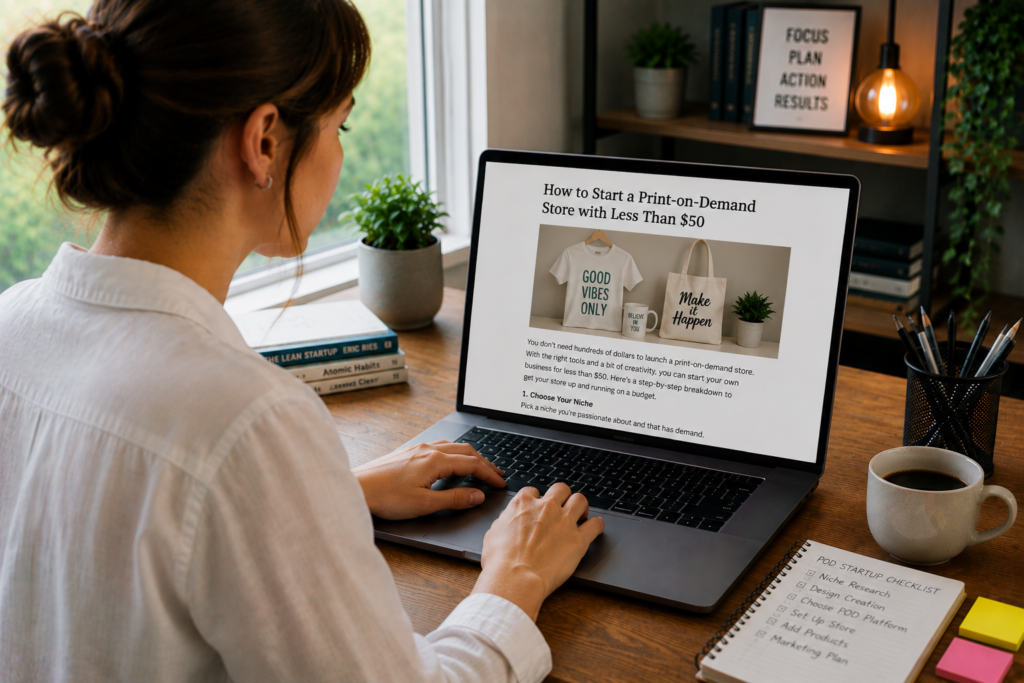
Somewhere between “I want to start a business” and actually starting one, most people hit the same wall: money. Inventory costs, warehousing fees, shipping logistics, upfront production runs, the traditional retail model demands thousands of dollars before a single product reaches a customer.
Print-on-demand eliminates that wall entirely.
No inventory. No bulk orders. No warehouse. No shipping headaches. You design a product, list it in your store, and when a customer buys it, a third-party printer manufactures that single item, packs it, and ships it directly to the buyer. You never touch the product. You never front the production cost. You pay the printer’s base price only after a customer has already paid you the retail price.
Your profit is the difference between what the customer pays and what the printer charges. On a t-shirt that costs the printer $9 to produce and ship, you might sell it for $25. That’s $16 in profit per sale with zero dollars tied up in inventory.
The barrier to entry is almost nonexistent. A complete, functioning print-on-demand store can be launched for less than $50, and in some configurations, for literally zero dollars. The catch isn’t the startup cost. It’s knowing which decisions in the first week determine whether the store earns $50 a month or $5,000.
This guide covers every decision, from platform selection and product choice through design creation and your first marketing push, with a clear budget breakdown showing exactly where your sub-$50 investment goes.
How Print-on-Demand Works (The Full Cycle)
Understanding the mechanics helps you make smarter decisions at every stage.
Step 1: You create a design. This could be a graphic, a phrase, a pattern, an illustration, or any visual element that can be printed on a physical product.
Step 2: You upload the design to a print-on-demand platform. The platform (Printful, Printify, Gelato, etc.) connects your design to their product catalog: t-shirts, hoodies, mugs, phone cases, posters, tote bags, and hundreds of other items.
Step 3: You list the product in your online store. Your store lives on Etsy, Shopify, WooCommerce, or another ecommerce platform. The POD platform integrates directly with your store, syncing products automatically.
Step 4: A customer places an order. They browse your store, choose a product, select a size or variant, and pay your retail price.
Step 5: The order is routed to the printer. Your POD platform receives the order details, prints the design on the product, packages it, and ships it to the customer. The printer charges you the base production cost, and you keep the difference.
Step 6: The customer receives the product. The package typically arrives with your branding (or neutral packaging, depending on your POD provider), and the customer never knows a third party fulfilled it.
The entire process after listing is automated. You don’t pack boxes. You don’t buy blanks. You don’t visit the post office. Your job is designing products, marketing your store, and providing customer service.
The Real Costs: Where Your $50 Goes
Let’s get specific about what launching a POD store actually costs, line by line.
Scenario 1: The Zero-Dollar Launch (Etsy + Free POD)
| Expense | Cost |
|---|---|
| Print-on-demand platform (Printify, free plan) | $0 |
| Etsy shop opening | $0 |
| Etsy listing fee (per listing, $0.20 each) | $1 to $5 for first listings |
| Design creation (Canva free tier) | $0 |
| Total startup cost | $1 to $5 |
This is the absolute minimum. You’re live and selling for the cost of a few Etsy listing fees. The trade-off: limited customization, Etsy’s transaction fees (6.5% of each sale), and you’re competing in Etsy’s marketplace against thousands of other POD sellers.
Scenario 2: The $50 Professional Launch (Shopify + Paid Design Tools)
| Expense | Cost |
|---|---|
| Shopify Basic plan (first month, often $1 for the first 3 months on promo) | $1 to $5 |
| Print-on-demand platform (Printify free plan or Printful free plan) | $0 |
| Custom domain name (optional but recommended) | $10 to $15/year |
| Canva Pro (first month, for premium design features) | $13 |
| Product samples (1-2 items to verify quality) | $15 to $25 |
| Total startup cost | $39 to $58 |
This gives you a branded, independent store with a professional look, better design tools, and physical product samples you can photograph and verify for quality. It’s the sweet spot for beginners who want to be taken seriously without overspending.
Scenario 3: The Marketplace-Only Launch (Zero Upfront)
| Expense | Cost |
|---|---|
| Redbubble or Merch by Amazon account | $0 |
| Design creation (Canva free tier or GIMP) | $0 |
| Total startup cost | $0 |
Platforms like Redbubble, TeePublic, and Merch by Amazon handle everything: storefront, payment processing, printing, and shipping. You upload designs, they do the rest. The trade-off: you have no control over pricing, branding, or customer relationships, and profit margins are typically lower.
Where Not to Spend Money Early
Paid advertising. Do not spend money on Facebook ads, Google ads, or TikTok ads before you’ve validated your designs with organic traffic. Paid ads amplify what’s already working. If nothing is working yet, you’re amplifying failure.
Premium themes or apps. Shopify’s free themes are clean and functional. You don’t need a $180 theme in week one. You don’t need five paid Shopify apps adding $50/month to your overhead. Start lean. Add tools after revenue justifies them.
Professional logo design. A $500 logo for a store with zero sales is a vanity expense. Use Canva’s free logo maker. Upgrade later when the business warrants it.
Bulk design purchases. Don’t pay $200 for a pack of 100 pre-made designs. You have no idea what sells yet. Start with 10 to 20 designs, test them, and invest in more designs only for the niches and styles that show traction.
Step 1: Choose Your Niche (Before You Choose Anything Else)
A print-on-demand store that sells “funny t-shirts” is competing with two million other stores selling funny t-shirts. A store that sells “sarcastic t-shirts for veterinary technicians” is speaking directly to a specific group of people who feel seen by the product and are far more likely to buy.
Niche selection is the single highest-leverage decision in your entire POD business. Get this right, and mediocre designs can sell. Get it wrong, and brilliant designs sit unseen.
What Makes a Good POD Niche
Passionate communities. People who identify strongly with a hobby, profession, lifestyle, or belief buy products that express that identity. Dog lovers, nurses, software engineers, plant parents, homeschool moms, rock climbers, woodworkers, firefighters, yoga practitioners, marine biologists. The more someone’s identity is wrapped up in the niche, the more likely they are to buy products that reflect it.
Underserved audiences. The best niches are groups with high passion and limited product options. “Cat lovers” is a massive market but intensely competitive. “Bengal cat owners” is smaller but underserved. “Retired military veterans who golf” is hyper-specific but reachable and passionate. The more specific you go, the less competition you face and the more your designs resonate.
Gifting potential. Many POD purchases are gifts. Niches with natural gifting occasions (professions, milestones, hobbies) perform well because buyers are actively searching for “gift for [person].” “Gifts for nurses,” “gifts for new dads,” and “gifts for camping lovers” are high-volume search terms with strong commercial intent.
Evergreen demand. Niches tied to permanent identities (professions, hobbies, family roles) produce consistent year-round sales. Niches tied to trends (memes, current events, viral moments) spike and die quickly. Build your store around evergreen niches with occasional trend-based designs for short-term boosts.
Niche Research (Free Methods)
Etsy search. Go to Etsy and search for “[niche] t-shirt” or “[niche] mug.” Look at the results. High-selling listings (check the number of reviews and the “bestseller” tag) signal proven demand. Low competition (fewer than a few thousand results) signals opportunity.
Amazon Merch and Redbubble browsing. Browse bestselling categories on these platforms. What niches appear repeatedly in the top sellers? What themes, professions, or interests are represented? These platforms surface what’s already selling.
Google Trends. Compare niche terms to see relative search volume and whether interest is growing, stable, or declining. A niche with flat or growing interest is safer than one that peaked two years ago.
Reddit and Facebook groups. Search for communities related to your potential niche. Large, active communities (100K+ members on Reddit, 50K+ on Facebook) signal a passionate audience that spends time and money on their interest.
The validation test: If you can find at least 5 active communities related to the niche, at least 10 competing products on Etsy with 50+ reviews, and stable or growing Google Trends interest, the niche has enough demand to support a POD store.
Niches to Approach With Caution
Pop culture and licensed intellectual property. Designs referencing movies, TV shows, celebrities, sports teams, or brand logos will get your store shut down. Major IP holders aggressively enforce trademarks, and POD platforms will remove your designs and potentially ban your account. Original designs inspired by a genre are fine. Direct references, quotes, character likenesses, or logos are not.
Political and divisive content. Politically charged designs can sell well in the short term, but they attract negative reviews, chargebacks, and platform scrutiny. They limit your audience to one side of a debate and can result in store bans if the content violates platform policies.
Ultra-broad niches. “Funny quotes,” “motivational sayings,” and “cute animals” are so broad that your designs drown in millions of competing products. Go at least two levels deep: not “animals” but “specific breed.” Not “fitness” but “powerlifting over 40.”
Step 2: Choose Your Print-on-Demand Platform
Your POD platform is the engine behind your store. It determines which products you can sell, how much they cost (which directly affects your profit margin), print quality, shipping speed, and which sales channels you can connect to.
Platform Comparison
Printify
- Product catalog: 900+ products from a network of print providers worldwide
- Base cost: Among the lowest in the industry (multiple providers compete on price for each product)
- Free plan: Yes, with unlimited product designs and up to 5 stores
- Paid plan: $29/month for up to 20% lower product prices
- Integrations: Shopify, Etsy, WooCommerce, Wix, BigCommerce, eBay, Walmart Marketplace
- Key advantage: Multiple print providers per product let you compare prices and shipping times. Lowest base costs for beginners.
- Key limitation: Quality varies between print providers. You need to order samples from specific providers to verify quality.
Printful
- Product catalog: 340+ products
- Base cost: Higher than Printify on most products
- Free plan: Yes, no monthly fees
- Paid plan: $24.99/month for up to 20% discounts and branding features
- Integrations: Shopify, Etsy, WooCommerce, Wix, Squarespace, BigCommerce, Amazon
- Key advantage: Consistent quality (single fulfillment network, not a marketplace of providers). In-house printing and warehousing. Strong branding options (custom labels, pack-ins).
- Key limitation: Higher base costs squeeze margins, especially on lower-priced items.
Gelato
- Product catalog: 100+ core products
- Base cost: Competitive, especially for international orders
- Free plan: Yes
- Paid plan: Gelato+ at $24/month for up to 30% discounts
- Integrations: Shopify, Etsy, WooCommerce, and more
- Key advantage: 130+ print partners across 32 countries, meaning orders are printed locally to the customer. Faster international shipping and lower cross-border shipping costs.
- Key limitation: Smaller product catalog than Printify or Printful.
Gooten
- Product catalog: 150+ products
- Base cost: Competitive
- Free plan: Yes
- Integrations: Shopify, Etsy, WooCommerce, BigCommerce
- Key advantage: Good quality control and competitive pricing. Strong for home goods (pillows, blankets, canvas prints).
- Key limitation: Less name recognition and smaller community of users for troubleshooting.
Which Platform to Start With
For budget-conscious beginners: Printify (free plan). The lowest base costs give you the highest profit margins, which matters when every dollar counts. The multiple-provider model means you can compare options for each product. Start here, order samples from your chosen provider, and scale up.
For quality-focused beginners: Printful (free plan). If you’re willing to accept slightly lower margins in exchange for more consistent quality and stronger branding options, Printful delivers a more polished customer experience out of the box.
For international sellers: Gelato (free plan). If your audience is global, Gelato’s distributed printing network reduces shipping costs and delivery times for international orders significantly.
You can switch or add platforms later. Many successful POD sellers use multiple platforms simultaneously, routing different products through different printers based on cost, quality, and shipping speed.
Step 3: Choose Your Sales Channel
Your POD platform prints and ships the products. Your sales channel is where customers find and buy them. These two systems connect through integrations that sync products, orders, and inventory automatically.
Option A: Etsy (Lowest Barrier, Built-In Traffic)
Cost to start: $0.20 per listing (listings last 4 months or until sold)
Transaction fees: 6.5% of each sale + payment processing (roughly 3% + $0.25)
Audience: 90+ million active buyers already searching for handmade, custom, and unique products
Why Etsy works for POD beginners:
Etsy is the easiest entry point because it solves the biggest beginner problem: traffic. Millions of people search Etsy daily for products exactly like what POD stores sell. You don’t need to drive your own traffic from day one (though you should still market your store). Etsy’s search algorithm surfaces your listings to relevant buyers if your titles, tags, and descriptions are optimized.
Etsy POD setup in 15 minutes:
- Create an Etsy seller account (free)
- Connect your Printify or Printful account to Etsy through the POD platform’s integration
- Create products in your POD platform (select product, upload design, set mockup images)
- Publish products to Etsy from the POD dashboard
- Optimize listing titles, descriptions, and tags with relevant search terms
The Etsy trade-off: You’re building on rented land. Etsy controls the algorithm, the fees, and the policies. Fee increases, algorithm changes, or policy shifts can impact your business overnight. Etsy is an excellent starting point, but long-term POD businesses eventually add their own independent store.
Option B: Shopify (Most Control, Requires Your Own Traffic)
Cost to start: $1/month for first 3 months (promotional pricing frequently available), then $39/month for the Basic plan
Transaction fees: 2.9% + $0.30 per transaction (lower with Shopify Payments)
Audience: Zero built-in traffic. You drive every visitor yourself.
Why Shopify works for POD sellers ready to invest slightly more:
Shopify gives you complete control over your brand, design, customer experience, pricing, and data. You own the customer relationship and email list. You can build a brand identity that doesn’t exist on marketplace platforms where your listings sit next to a hundred competitors.
The Shopify trade-off: You need to drive your own traffic through social media, SEO, email marketing, or paid advertising. No one discovers your Shopify store by browsing a marketplace. Every visitor comes from your marketing efforts.
The best approach for beginners on a budget: Start on Etsy. Use the free traffic to validate your designs, learn what sells, and generate initial revenue. Once you have consistent sales and proven designs, open a Shopify store and begin building your independent brand. Run both simultaneously: Etsy for discovery and Shopify for brand ownership.
Option C: Marketplaces (Zero Cost, Zero Control)
Redbubble, TeePublic, Merch by Amazon, Society6, Zazzle
These platforms handle everything: storefront, traffic, printing, shipping, and payments. You upload designs and set your profit margin (within their constraints). There’s nothing to build, nothing to integrate, and nothing to pay upfront.
The trade-off: Your profit margins are slim (often $2 to $5 per item), you have no control over pricing or branding, and you’re completely dependent on the platform’s search algorithm for visibility. These platforms work best as supplemental channels where you upload your designs alongside your primary store, capturing sales from their built-in audiences with zero additional effort.
Step 4: Create Your Designs
This is where many beginners freeze. They assume they need professional graphic design skills, Adobe Illustrator expertise, or money to hire a designer. You need none of those things to start.
Free and Low-Cost Design Tools
Canva (free tier)
Canva is the most accessible design tool for POD beginners. The free plan includes thousands of templates, fonts, graphics, and photos. You can create t-shirt designs, mug graphics, poster art, and product mockups without any design training.
How to create a POD design in Canva:
- Open Canva and create a custom size canvas (for t-shirts, 4500 x 5400 pixels at 300 DPI is standard)
- Choose a transparent background (available on the free plan for downloads as PNG)
- Add text using Canva’s font library (hundreds of free fonts available)
- Add graphic elements (shapes, icons, illustrations) from Canva’s free library
- Arrange, resize, and color-match the elements
- Download as a PNG with transparent background
Important Canva licensing note: Free Canva elements are licensed for commercial use, including print-on-demand. Check individual elements if you’re unsure. Canva Pro ($13/month) unlocks premium elements, background remover, and brand kit features that speed up the design workflow significantly.
GIMP (free, all platforms)
GIMP is a free, open-source alternative to Photoshop. It handles layers, transparency, text manipulation, and advanced image editing. The learning curve is steeper than Canva, but it’s a professional-grade tool with no cost and no limitations.
Best for: Designers who want pixel-level control, complex compositions, and Photoshop-equivalent capabilities without the subscription cost.
Kittl (free tier)
Kittl is a browser-based design tool specifically built for print-on-demand and merchandise design. The free plan includes templates optimized for apparel, access to fonts and graphics, and direct export at print-ready resolution.
Best for: Beginners who want POD-specific templates and design guidance built into the tool.
Photopea (free, browser-based)
A free Photoshop clone that runs entirely in your browser. It opens PSD files, supports layers and masks, and handles everything a POD designer needs. No download, no account required.
Design Principles for Products That Sell
You don’t need to be an artist. Most bestselling POD designs are text-based or use simple graphic elements. Clean, readable, and emotionally resonant beats complex and artistic in the POD market.
What sells consistently in POD:
Bold typography with a clear message. A well-chosen font with a phrase that makes someone think “that’s so me” outsells intricate illustrations in most niches. “I’d Rather Be Fishing,” “Retired Nurse, Full-Time Grandma,” and “Fueled by Coffee and Anxiety” are simple text designs that generate thousands of sales across the POD industry.
Minimalist graphics with personality. A clean line drawing of a dog breed, a small icon paired with a short phrase, or a simple graphic related to a profession or hobby. These designs work across product types (shirts, mugs, stickers, phone cases) and appeal to buyers who want subtle self-expression rather than loud graphics.
Niche-specific humor. Inside jokes that only members of a specific community understand. A design that makes a nurse laugh, an engineer nod, or a plant enthusiast tag their friend has built-in shareability and emotional pull. The narrower the joke, the stronger the connection.
Design specifications by product type:
| Product | Recommended File Size | Format | Key Consideration |
|---|---|---|---|
| T-shirts | 4500 x 5400 px (300 DPI) | PNG (transparent) | Design should be readable at arm’s length |
| Mugs | 3500 x 1500 px (300 DPI) | PNG (transparent) | Wraps around the mug; test placement |
| Posters | 7200 x 10800 px (300 DPI) | PNG or JPEG | Higher resolution needed for print clarity |
| Phone cases | 1300 x 2000 px (300 DPI) | PNG (transparent) | Camera hole placement varies by model |
| Stickers | 1800 x 1800 px (300 DPI) | PNG (transparent) | Simple designs with clean edges work best |
How Many Designs to Start With
Launch with 15 to 25 designs across 2 to 3 product types. This gives you enough variety to test what resonates without spending weeks in the design phase before making a single sale.
The 80/20 rule applies aggressively in POD: roughly 20% of your designs will generate 80% of your revenue. You won’t know which 20% until you publish them all and let the data tell you. Starting with 15 to 25 designs is enough to identify early winners. Designs that get views but no sales can be iterated on. Designs that get no views need better SEO. Designs that sell become the templates for your next 20 designs in the same style, tone, or niche.
Sourcing Designs If You Can’t Create Them
Creative Market, Design Bundles, and similar marketplaces sell commercial-use design elements, fonts, and templates for $5 to $30. A single purchase can provide elements you remix into dozens of original designs.
Fiverr and Upwork connect you with freelance designers who create POD-ready designs for $5 to $25 per design. For testing a niche with 10 designs, that’s a $50 to $250 investment. This only makes sense after you’ve validated your niche with free designs and want to scale.
AI design tools like Midjourney, DALL-E, and Leonardo AI generate images from text prompts. These can produce unique graphics, patterns, and illustrations for POD products. The licensing terms for AI-generated images in commercial products are still evolving, so check each platform’s current terms of service before selling products with AI-generated artwork. Many POD sellers use AI to generate initial concepts and then customize or trace them in Canva or GIMP to create original works.
The licensing rule: Never use images, fonts, or graphics without confirming they’re licensed for commercial use on physical products. “Free for personal use” does not mean “free for print-on-demand.” A single copyright claim can result in your store being suspended.
Step 5: Set Up Your Store
With your niche chosen, your POD platform connected, and your first batch of designs ready, it’s time to build your storefront.
Etsy Store Setup (30 Minutes to Live)
Shop name: Choose a name that reflects your niche without being so narrow that you can’t expand later. “PawPrintDesignsCo” works for dog-related products and could expand to other pets. “GoldenRetrieverShirts” locks you into one breed and one product.
Shop banner and logo: Create both in Canva (free). Your banner should communicate your niche and brand personality in a single glance. Your logo should be simple and readable at small sizes.
Listing optimization (this determines whether anyone finds your products):
Titles: Use all 140 characters. Front-load with the most searched terms. Formula: “[Primary keyword] [Product type] [Niche/Audience] [Secondary keywords] [Gift occasion]”
Example: “Funny Nurse Shirt, Nursing School Gift, RN Graduation Present, Registered Nurse Tee, Healthcare Worker T-Shirt, Nurse Life”
Tags: Etsy gives you 13 tags per listing. Use all 13. Each tag should be a phrase someone might search for, not a single word. “nurse gift” is a tag. “nurse” alone is too broad to be useful.
Description: Write a natural, keyword-rich description that covers: who the product is for, what makes it special, the product specifications (material, sizing, care instructions), and a clear call to action. Your POD platform often auto-generates product specs, but personalize the top portion with your own voice.
Photos: Use the mockups provided by your POD platform as a starting point. Supplement with lifestyle mockups (Placeit.net offers some free options) showing the product in context: a person wearing the shirt, a mug on a desk, a poster on a wall. Lifestyle mockups consistently outperform flat product images in conversion rate.
Shopify Store Setup (1 to 2 Hours to Live)
Theme: Start with Shopify’s free “Dawn” theme. It’s clean, fast, mobile-responsive, and professional enough for a launch. You can customize colors, fonts, and layout without touching code.
Pages to create:
- Homepage: Your best-selling or most eye-catching products featured prominently. A clear headline that communicates your niche. One or two sentences about your brand.
- Product pages: Generated automatically when you push products from your POD platform. Add custom descriptions, multiple mockup images, and size guides.
- About page: Who you are and why you started the store. This humanizes your brand and builds trust, especially for first-time buyers.
- FAQ/Shipping page: Production time, shipping estimates, return policy, and sizing information. Proactively answering common questions reduces customer service inquiries and purchase hesitation.
- Contact page: A simple form or email address. Buyers want to know they can reach a real person if something goes wrong.
POD integration: Install your POD platform’s Shopify app (Printify, Printful, and Gelato all have one-click Shopify apps). Connect your account. Products you create in the POD platform push directly to your Shopify store with synced inventory, pricing, and order routing.
Step 6: Price Your Products for Profit
Pricing too low attracts bargain hunters, kills your margins, and devalues your brand. Pricing too high creates friction for impulse buyers and requires stronger marketing to justify the cost. The right price lives in the zone where customers feel the value matches the cost and your margins support a sustainable business.
The Pricing Formula
Retail Price = Base Cost + Profit Margin + Platform Fees
Break down each component:
Base cost: What the POD platform charges you per item (production + shipping to customer). A standard Printify t-shirt might cost $8 to $12 depending on the provider, product quality, and shipping destination.
Platform fees: Etsy charges 6.5% transaction fee + ~3.5% payment processing. Shopify charges ~2.9% + $0.30 per transaction. Calculate this as a percentage of your retail price.
Profit margin: What you keep after costs. Aim for a minimum of $8 to $12 profit per item on apparel and $5 to $8 on accessories (mugs, stickers, phone cases).
Sample Pricing Breakdown (T-Shirt on Etsy via Printify)
| Component | Amount |
|---|---|
| Printify base cost (production + shipping) | $12.00 |
| Your retail price | $24.99 |
| Etsy transaction fee (6.5%) | -$1.62 |
| Etsy payment processing (~3.5% + $0.25) | -$1.12 |
| Your profit per sale | $10.25 |
At $10.25 profit per shirt, you need approximately 5 sales to recoup a $50 startup investment. Every sale after that is pure profit.
Pricing Psychology
Avoid round numbers. $24.99 converts better than $25.00. The difference is a penny, but the psychological perception is “in the twenties” vs. “twenty-five dollars.” This pattern holds across every price point.
Anchor with a higher-priced item. If your most expensive product is a $45 hoodie and your t-shirts are $25, the t-shirts feel reasonable by comparison. Without the anchor, the $25 shirt stands alone and gets compared to the buyer’s general expectation for t-shirt pricing.
Don’t race to the bottom. There will always be a store selling similar products for $14.99. You cannot compete with rock-bottom pricing and maintain a viable business. Compete on design quality, niche specificity, brand personality, and customer experience instead. Buyers who purchase a $25 niche t-shirt that speaks to their identity are different customers from bargain shoppers comparing basic tees on price alone.
Step 7: Get Your First Sales
Your store is live. Products are listed. Now you need buyers. For a sub-$50 budget, paid advertising is off the table, which means organic traffic and community engagement are your primary channels.
Etsy SEO (Free, Passive Traffic)
If you’re on Etsy, search optimization is your most powerful growth lever. Etsy’s search algorithm determines which products appear when buyers search for terms like “funny teacher shirt” or “cat dad mug.”
What Etsy’s algorithm prioritizes:
- Keyword relevance: How well your title, tags, and description match the buyer’s search query. Use exact phrases buyers search for, not creative product names.
- Listing quality score: Based on click-through rate (how often people click your listing from search results) and conversion rate (how often clicks become sales). High-quality mockup images and compelling titles improve both metrics.
- Recency: New listings get a temporary visibility boost. Use this by publishing new products consistently (3 to 5 per week) rather than uploading everything at once.
- Shop completeness: Filled-out About section, shop policies, and multiple listings signal a legitimate business.
The Etsy SEO workflow:
- Research what buyers actually search for (use Etsy’s search bar autocomplete, eRank’s free tier, or Marmalead)
- Build your listing title around the top 3 to 5 search phrases for that product
- Use all 13 tags with long-tail search phrases
- Upload 5+ mockup images per listing (more images correlate with higher conversion rates on Etsy)
- Publish new listings regularly to trigger the recency boost
Pinterest (Free, Visual, High-Intent)
Pinterest is the most underused free traffic source for POD stores. Unlike Instagram or TikTok, where content disappears from feeds within hours, Pinterest pins continue driving traffic for months and years after posting. It’s a visual search engine, not a social network, and its users are in buying mode.
Pinterest POD strategy:
- Create a business Pinterest account (free)
- Create boards for each niche or product category
- Pin your product mockups with keyword-rich descriptions and a direct link to your product listing
- Pin 5 to 15 times per day (use a mix of your product pins and curated content related to your niche)
- Create multiple pin designs for each product (different mockup angles, different text overlays) to test which visuals perform best
A single viral pin can drive hundreds of store visits per day for weeks. Even non-viral pins accumulate traffic steadily over time, creating a compounding flow of free visitors.
Social Media (Free, Active Effort)
Pick one platform where your niche audience spends time, and post consistently.
TikTok: Show your design process, film “packing order” videos (simulated or real), share the story behind your designs, and participate in trending sounds with niche-relevant content. TikTok’s algorithm favors new accounts and can push videos to thousands of viewers regardless of follower count. Multiple POD sellers have gone viral and generated hundreds of sales from a single TikTok.
Instagram: Post product mockups, behind-the-scenes design content, customer photos (once you have them), and reels. Use 15 to 20 hashtags related to your niche. Instagram is slower for growth than TikTok, but the audience tends to have higher purchasing intent.
Facebook Groups: Join groups related to your niche (not business groups, but groups where your actual customers hang out). Participate genuinely. When group rules allow it, share your products. A single post in an active group of 50K members can drive a burst of traffic and sales.
Leverage Your Personal Network
Don’t underestimate the power of your first 10 sales coming from people you know. Share your store with friends, family, and social media connections. Ask them to share it with anyone who matches your niche.
These early sales serve three purposes beyond revenue:
- They generate reviews on Etsy (reviews dramatically increase conversion rates for future buyers)
- They provide real product photos from actual customers (ask for photos in exchange for a discount code)
- They give you feedback on product quality, shipping speed, and the overall buying experience
Step 8: Optimize and Scale
Your first month is about learning, not earning. You’re collecting data: which designs get views, which get clicks, which convert to sales, and which sit untouched.
Read the Data
On Etsy: Your Shop Stats dashboard shows views, visits, favorites, and orders for each listing. Listings with high views but low orders have a conversion problem (price, photos, or description). Listings with low views have a visibility problem (SEO, tags, or titles). Listings with high favorites but low orders often indicate a pricing issue (people like it but feel it’s too expensive).
On Shopify: Google Analytics (free to connect) shows traffic sources, page views, bounce rates, and conversion rates. Identify which traffic sources send buyers (not just browsers) and double down on those.
Double Down on Winners
When a design sells, create variations: different color schemes, related phrases, the same design on additional products (shirt to mug to sticker to poster). A winning design in your niche proves demand for that specific theme. Expanding around it is lower-risk than starting from scratch with a new concept.
Remove or Rework Losers
After 30 to 60 days, review designs with zero sales and minimal views. Either rework the listing (new title, new mockups, new tags) or remove it entirely. Dead listings clutter your store and dilute your average listing quality metrics.
Expand Your Product Line
Once your first few designs are validated, expand in two directions:
More products per design: Take your top-selling t-shirt design and put it on hoodies, sweatshirts, tank tops, mugs, stickers, and tote bags. Each additional product type is a new listing, a new search result, and a new opportunity to capture a buyer who prefers a different format.
More designs per niche: Your successful designs reveal what your audience responds to. Create more designs in the same style, humor tone, or visual approach. If your top seller is a sarcastic nursing quote in a minimalist font, create 10 more sarcastic nursing quotes in similar fonts.
The Reinvestment Path
As revenue comes in, reinvest strategically:
- First $50 in profit: Order more product samples to verify quality across product types
- First $100 in profit: Upgrade to Canva Pro for premium design elements and faster workflow
- First $200 in profit: Consider upgrading your POD platform to the paid tier for lower base costs (Printify Premium saves up to 20% per item)
- First $500 in profit: Test a small amount ($50 to $100) of paid advertising on your top-performing products to see if you can scale profitably
- First $1,000 in profit: Invest in a Shopify store (if you haven’t already) to build brand equity alongside your Etsy presence
Common Mistakes That Kill POD Stores Early
Launching with 3 designs and waiting. Three listings aren’t enough to test a niche, rank in search, or give buyers a reason to browse your store. Launch with 15 to 25 and add 3 to 5 new designs per week for the first two months.
Ignoring mockup quality. A great design on a bad mockup looks like a bad design. Invest time in clean, realistic mockup images. Use Printify or Printful’s built-in mockup generator, and supplement with lifestyle mockups from Placeit (limited free options) or smartmockups.com (free tier available).
Copying top sellers exactly. Searching Etsy for bestsellers and recreating them with minor tweaks is a fast path to intellectual property disputes, listing removals, and store suspension. Use bestseller research to identify themes and niches that work, then create original designs that serve the same audience differently.
Neglecting customer service. A single negative review on Etsy can tank your conversion rate for weeks. Respond to messages within 24 hours. Handle issues generously (offer reprints or refunds for quality problems). Proactively email customers after delivery to confirm satisfaction. Every positive review strengthens your store’s ranking and credibility.
Giving up after 30 days with no sales. Most successful POD stores took 60 to 90 days to generate consistent sales. The first month is about listing products, learning SEO, and collecting data. The second month is about optimization. Meaningful revenue usually begins in month three or four for stores that publish consistently and iterate based on data.
What Month 6 Looks Like
Six months in, with consistent effort and a sub-$50 starting investment, a realistic POD store might look like this:
- 75 to 150 active product listings
- 5 to 15 sales per week on Etsy
- $300 to $800 per month in net profit
- A growing email list or social following for direct marketing
- 3 to 5 “hero” designs that generate 60% or more of total revenue
- A clear understanding of what your audience buys and why
That’s not quit-your-job money. But it’s a real business, built from less than $50, generating profit every month, with a foundation for growth. Sellers who reach this stage and continue scaling, adding designs, expanding to Shopify, building a brand, testing ads on winners, regularly cross $2,000 to $5,000 per month within 12 to 18 months.
The $50 you spent to start wasn’t really the investment. Your time, consistency, and willingness to learn from the data were the real costs. The money was just the door fee.
And in print-on-demand, the door fee is the cheapest part of the entire operation.