Starting out in affiliate marketing can feel like standing at the bottom of a mountain with no gear. You see experienced marketers pulling in four and five figures a month, and you wonder how you’ll ever get there, especially when your budget is close to zero.
Here’s the good news: you don’t need to spend hundreds of dollars on premium software to get your affiliate business off the ground. Some of the most effective tools available right now cost absolutely nothing. And no, we’re not talking about watered-down trial versions. These are genuinely useful, fully functional platforms that thousands of successful affiliate marketers relied on long before they ever upgraded to paid plans.
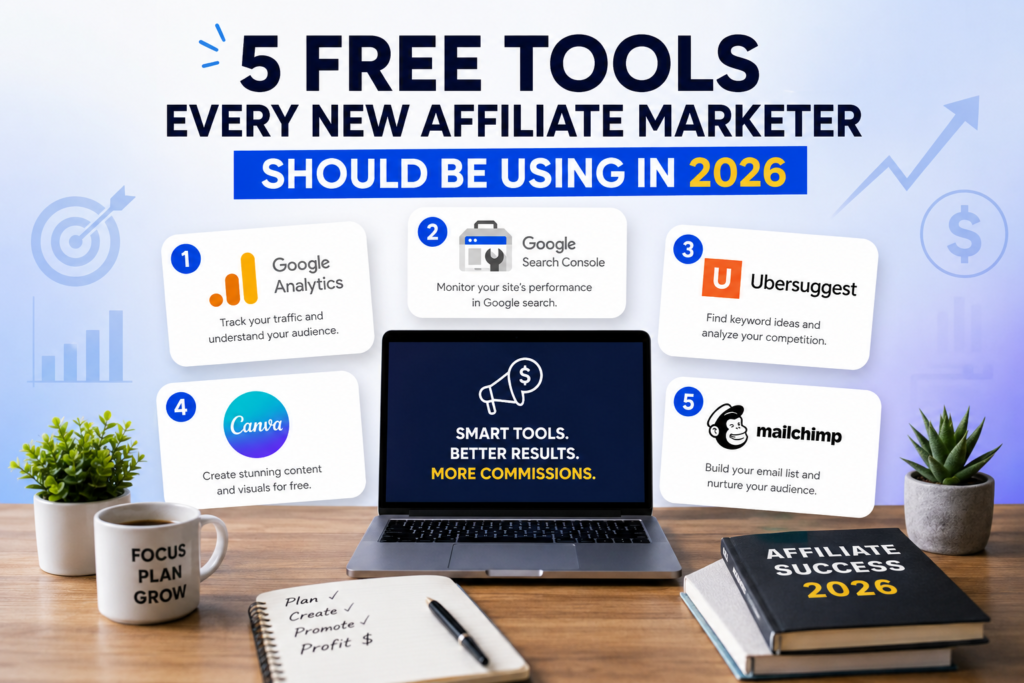
In this guide, we’ll break down five free tools that give new affiliate marketers a real competitive edge. For each one, you’ll learn what it does, why it matters for your affiliate business, and exactly how to put it to work starting today.
Why the Right Tools Matter (Even When You’re Just Starting Out)
Before we get into the list, let’s talk about why tools matter so much in the early stages of affiliate marketing.
Affiliate marketing has three core activities: attracting an audience, recommending products, and earning commissions when people buy through your links. That sounds simple enough. But each of those activities involves dozens of smaller tasks, things like finding the right keywords, creating content that ranks, tracking which links actually convert, building an email list, and managing your social media presence.
Trying to do all of that manually is a recipe for burnout. The right tools automate the tedious parts so you can focus on what actually moves the needle: creating content that connects with real people and solves real problems.
The five tools below cover the most critical areas of an affiliate marketing operation. Together, they give you a complete starter toolkit that handles keyword research, analytics, email marketing, link management, and content optimization.
Let’s get into it.
1. Google Search Console: Your Free Window Into Search Performance
What it is: Google Search Console (GSC) is a free platform from Google that shows you exactly how your website performs in search results. It tells you which queries bring people to your site, how often your pages appear in search, and where you rank for specific terms.
Why affiliate marketers need it: If you’re building an affiliate site (and you should be), organic search traffic is your most valuable long-term asset. Unlike paid ads that stop the moment your budget runs dry, well-ranked content keeps sending visitors to your affiliate links month after month. GSC gives you the data you need to understand what’s working and where you’re falling short.
How to use it effectively:
- Find your “striking distance” keywords. Filter your Performance report for queries where your average position is between 8 and 20. These are keywords where you’re already showing up in search results but not quite on page one. A few content tweaks (better headings, more depth, internal links) can push these rankings up and bring in significantly more traffic.
- Identify your top-performing pages. Sort by clicks to see which pages drive the most traffic. These are your money pages. Make sure they have strong calls-to-action and well-placed affiliate links. If a page gets lots of impressions but few clicks, rewrite the meta title and description to make them more compelling.
- Catch technical issues early. The Coverage report flags indexing errors, crawl problems, and mobile usability issues. Fixing these quickly keeps your site healthy and visible. A page that Google can’t index is a page that earns you zero commissions.
- Submit new content for faster indexing. When you publish a new review or comparison post, use the URL Inspection tool to request indexing. This can shave days off the time it takes for your content to appear in search results.
Pro tip for affiliates: Pay close attention to queries that include buying-intent words like “best,” “review,” “vs,” “alternative,” and “worth it.” These searchers are close to making a purchase decision, which means they’re the most likely to click your affiliate links and convert.
2. Ubersuggest (Free Tier): Keyword Research Without the Price Tag
What it is: Ubersuggest, built by Neil Patel, offers a free tier that gives you access to keyword suggestions, search volume data, SEO difficulty scores, and basic competitor analysis. You get a limited number of searches per day, but for a new affiliate marketer, that’s plenty.
Why affiliate marketers need it: Choosing the right keywords is the single biggest factor in whether your content gets found or buried on page 10. Ubersuggest helps you find keywords that have decent search volume but low enough competition that a new site can actually rank for them.
How to use it effectively:
- Start with your niche, then drill down. Say you’re in the home office niche. Type “standing desk” into Ubersuggest and look at the keyword ideas it generates. You’ll find long-tail variations like “best standing desk under 300” or “standing desk for small spaces.” These longer phrases typically have less competition and attract people who are closer to buying.
- Check the SEO difficulty score. For a new site with little authority, target keywords with an SD (SEO Difficulty) score below 30. Anything higher, and you’ll struggle to rank against established sites. As your site grows and earns backlinks, you can start targeting harder keywords.
- Analyze what competitors rank for. Plug a competitor’s URL into Ubersuggest to see their top-ranking pages and keywords. This is like getting a cheat sheet. If a similar affiliate site ranks for “best noise-canceling headphones for work,” you know there’s demand for that topic, and you can create a better, more thorough version.
- Use the content ideas feature. Ubersuggest shows you which existing articles get the most traffic and social shares for any topic. Study these to understand what format, length, and angle resonates with readers. Then create something that goes deeper or takes a fresh perspective.
Pro tip for affiliates: Build a spreadsheet of 50 to 100 keyword targets before you write a single article. Organize them by search volume, difficulty, and buyer intent. This gives you a content roadmap that keeps you focused and productive for months.
3. Mailchimp (Free Plan): Build an Email List From Day One
What it is: Mailchimp’s free plan lets you manage up to 500 email subscribers and send up to 1,000 emails per month. You get access to email templates, basic automation, landing pages, and signup forms.
Why affiliate marketers need it: Here’s a truth that too many new affiliate marketers learn the hard way: if you’re relying entirely on search traffic, you’re one algorithm update away from losing everything. An email list is an asset you own. No algorithm change can take it away from you.
Email subscribers are people who’ve already shown interest in your recommendations. They trust you enough to give you their email address. That trust translates directly into higher click-through rates on your affiliate links and better conversion rates compared to cold search traffic.
How to use it effectively:
- Create a lead magnet that ties into your niche. If you run a photography affiliate site, offer a free “Camera Settings Cheat Sheet” or “10-Minute Photo Editing Workflow.” The lead magnet should be genuinely useful, not just a thinly veiled sales pitch. When people get real value upfront, they’re far more receptive to your product recommendations later.
- Set up a welcome email sequence. Mailchimp’s free automation lets you create a simple sequence that introduces new subscribers to your best content. A three-email welcome series might look like this: Email 1 delivers the lead magnet and introduces who you are. Email 2 shares your most helpful blog post. Email 3 recommends a product you genuinely believe in, with your affiliate link.
- Embed signup forms in high-traffic posts. Don’t just put a form in your sidebar and hope for the best. Add inline signup forms within your top-performing articles, right at the point where readers are most engaged. A well-placed form in the middle of a popular review post will convert significantly better than a generic sidebar widget.
- Segment your list as it grows. Even on the free plan, you can tag subscribers based on what content they signed up for. Someone who downloaded a guide on “budget laptops” is interested in different products than someone who grabbed your “gaming PC build checklist.” Segmentation lets you send more relevant recommendations, which means higher commissions.
Pro tip for affiliates: Include one affiliate recommendation in every email, but make it feel natural. Frame it as a personal recommendation, not an ad. Something like, “I’ve been using [Product X] for the past three months and it’s genuinely made a difference in my workflow. Here’s my honest take.” That kind of authentic endorsement outperforms hard-sell tactics every time.
4. Pretty Links (Free Version) or Bitly: Clean Up and Track Your Affiliate Links
What it is: Pretty Links is a free WordPress plugin that lets you create clean, branded redirect links for your affiliate URLs. If you’re not on WordPress, Bitly offers similar link-shortening and basic tracking functionality for free. Both tools turn long, messy affiliate links into short, memorable URLs and give you click data.
Why affiliate marketers need it: Raw affiliate links are ugly. They’re long strings of random characters that look suspicious to readers. When someone sees a URL like www.example.com/product?ref=aff123&tracking=xyz789&source=blog, they hesitate to click. But a clean link like yoursite.com/recommends/standing-desk looks trustworthy and professional.
Beyond aesthetics, tracking is where these tools really earn their place in your stack. Without click tracking, you’re flying blind. You have no idea which blog posts, which calls-to-action, or which product recommendations actually generate clicks and (eventually) commissions.
How to use them effectively:
- Create a consistent link structure. Use a pattern like
yoursite.com/recommends/product-nameoryoursite.com/go/product-name. This keeps your links organized and makes them easy to manage as your site grows. It helps with trust signals as well, because readers recognize the pattern and know what to expect. - Track clicks by page and placement. If you mention the same product in three different blog posts, create separate redirect links for each one (or use UTM parameters). This way, you can see exactly which post drives the most affiliate clicks. Double down on what works and improve or cut what doesn’t.
- Update links in one place. Here’s where Pretty Links really shines: if an affiliate program changes its URL structure, or if you switch to a different affiliate network, you only need to update the redirect destination in one place. Every post that uses that link automatically points to the new URL. Without a link management tool, you’d have to manually find and update every single link across your entire site.
- A/B test your calls-to-action. Create two versions of a link (same destination, different tracking slugs) and use them with different CTA copy. “Check the latest price” vs. “Read my full review on Amazon” will produce different click rates. Test, measure, and go with the winner.
Pro tip for affiliates: Review your click data weekly. Look for patterns. If a product recommendation in one post gets 10x the clicks of the same product in another post, study what’s different. Is it the placement? The surrounding content? The CTA wording? Those insights are gold.
5. Google Analytics 4: Understand Your Audience and Their Behavior
What it is: Google Analytics 4 (GA4) is Google’s free web analytics platform. It tracks who visits your site, where they come from, what pages they view, how long they stay, and what actions they take, including clicking outbound affiliate links.
Why affiliate marketers need it: Data-driven decisions beat guesswork every single time. GA4 tells you which traffic sources bring the most engaged visitors, which pages keep people reading, and where people drop off. Without this information, you’re making content decisions based on gut feelings instead of evidence.
How to use it effectively:
- Set up outbound link tracking. GA4 automatically tracks outbound clicks as events (called “click” events with an “outbound” parameter). Configure a custom report that shows which outbound links (your affiliate links) get clicked most often, and from which pages. This is the closest thing to a free affiliate dashboard you’ll find.
- Analyze traffic sources. The Acquisition reports show you where your visitors come from: organic search, social media, direct traffic, email, or referrals. Focus your energy on the channels that bring visitors who actually click your affiliate links, not just the channels that bring the most raw traffic. A hundred visitors from Pinterest who bounce in 5 seconds are worth less than ten visitors from Google who read your entire review and click through.
- Study user engagement metrics. GA4’s engagement rate (the percentage of sessions that lasted longer than 10 seconds, had a conversion event, or had 2+ page views) is a much better indicator of content quality than old-school metrics like bounce rate. If a page has high traffic but low engagement, the content isn’t matching what people expect when they click through from search results.
- Build an audience profile. The Demographics and Tech reports show you who your visitors are, what devices they use, and where they’re located. This information helps you make smarter product recommendations. If 70% of your audience browses on mobile, you might prioritize reviewing mobile-friendly products or apps. If most of your audience is in a specific country, promote products that ship there.
- Create custom conversions. Set up conversions for high-value actions like affiliate link clicks, email signups, and specific page visits (like your “best of” roundup posts). This lets you track your real business goals, not just vanity metrics like pageviews.
Pro tip for affiliates: Combine GA4 data with Google Search Console data for the full picture. GSC tells you how people find you. GA4 tells you what they do once they arrive. Together, they reveal the complete path from search query to affiliate click, and that’s where the actionable insights live.
How These Five Tools Work Together
These tools aren’t just a random list. They form an interconnected system that covers every stage of the affiliate marketing process:
- Ubersuggest helps you find the right keywords and content opportunities.
- Google Search Console shows you how well your content performs in search and where to improve.
- Google Analytics 4 reveals how visitors behave on your site and which content drives affiliate clicks.
- Pretty Links / Bitly keeps your affiliate links organized, professional, and trackable.
- Mailchimp captures visitors as subscribers so you can build a long-term relationship and promote products over time.
Think of it as a cycle: research keywords, create content, track search performance, analyze visitor behavior, optimize your links, and capture emails to bring people back. Each tool feeds data into the next, helping you make smarter decisions with every cycle.
Common Mistakes to Avoid With Free Tools
Free tools are powerful, but only if you use them correctly. Here are the most common pitfalls new affiliate marketers fall into:
Tracking too many metrics. GA4 gives you access to hundreds of data points. Don’t get lost in the numbers. Focus on a handful of metrics that directly tie to revenue: affiliate link clicks, email signups, top-performing pages, and conversion rates. Everything else is a distraction until you’re generating consistent income.
Skipping email list building. Many new affiliate marketers postpone email marketing because it feels complicated or because they think they need more traffic first. Start collecting emails from day one, even if you only get five subscribers in your first month. Those five subscribers will grow, and the habit of writing emails and recommending products will sharpen your copywriting skills faster than almost anything else.
Ignoring the data. Installing Google Analytics and Search Console isn’t enough. Block out 30 minutes each week to review your numbers. Look at trends, not single data points. Is your organic traffic growing month over month? Are affiliate clicks increasing as a percentage of total traffic? Weekly reviews keep you accountable and catch problems early.
Targeting keywords that are too competitive. Free tools like Ubersuggest make it easy to see difficulty scores. Respect them. A new site with zero backlinks won’t rank for “best credit cards” no matter how good the content is. Start with low-competition, long-tail keywords, build authority, and gradually work your way up to harder targets.
Neglecting link management. Pasting raw affiliate links directly into your content is a short-term shortcut that creates long-term headaches. When a link breaks or a program changes its URL structure, you’ll have to hunt through every post on your site to fix it. Set up Pretty Links or a similar tool from the start and save yourself hours of tedious work down the road.
What About Paid Tools? When Should You Upgrade?
A common question from new affiliate marketers: “When should I start paying for tools?”
The honest answer: not until your free tools become a bottleneck. If Ubersuggest’s daily search limit is slowing down your keyword research, and you’re publishing content consistently, it might be time to invest in Ahrefs or Semrush. If your Mailchimp list hits 500 subscribers and you need more advanced automation, that’s a sign your email marketing is working and worth investing in.
The mistake is upgrading too early. Buying a $99/month SEO tool when you’ve published five articles and get 200 visitors a month is premature. Master the free versions first. Learn what data matters. Build the habit of checking analytics and testing different approaches. Then, when you upgrade, you’ll actually know how to use the premium features instead of paying for a tool you barely touch.
A solid benchmark: consider upgrading a tool when you can directly trace revenue (affiliate commissions) back to the activity that tool supports. If your email list generates $200/month in commissions, spending $20/month on a better email platform is a no-brainer.
Your Next Steps
You now have five free tools that cover keyword research, search analytics, website analytics, link management, and email marketing. That’s a complete affiliate marketing toolkit that costs you nothing but time.
Here’s your action plan for the next seven days:
- Day 1: Set up Google Search Console and Google Analytics 4 on your site. If you don’t have a site yet, pick a niche and register a domain.
- Day 2: Create a free Ubersuggest account and research 20 low-competition keywords in your niche.
- Day 3: Install Pretty Links (WordPress) or set up a Bitly account. Create your first branded redirect link.
- Day 4: Sign up for Mailchimp and build a simple landing page with a signup form.
- Day 5: Create a lead magnet, a one-page PDF cheat sheet or checklist related to your niche.
- Day 6: Write and publish your first affiliate content piece targeting one of your researched keywords.
- Day 7: Review your initial data in GSC and GA4. Set up a weekly review habit.
The affiliate marketers who succeed aren’t the ones with the biggest budgets or the fanciest tools. They’re the ones who show up consistently, create genuinely helpful content, and use data to get a little bit better each week. These five free tools give you everything you need to start doing exactly that.